Making a great video is only half the job. The bigger challenge is getting it discovered. YouTube is a search engine and a recommendation engine at once, and thousands of videos fight for the same viewers. This is where SEO tools for YouTube earn their keep. They show you what people search, how hard a keyword is to rank, and how your videos perform after upload.
This guide compares the best free and paid options, explains what each does well, and helps beginners and pros pick the right one. You will also get what most lists skip: real 2026 prices, picks by creator type, and a plan for when the numbers still do not move.
Quick answer: The best SEO tools for YouTube in 2026 are TubeBuddy and VidIQ for in-app optimization, Ahrefs and Semrush for deep research, and Keyword Tool plus Google Trends for ideas. YouTube Studio is the best free starting point. Beginners can grow on free plans; larger channels benefit from paid keyword and analytics tools.
Key takeaways
- No single tool does everything. Match the tool to the job: research, optimization, tracking or analytics.
- Free plans from TubeBuddy, vidIQ, YouTube Studio and Google Trends cover most beginner needs.
- TubeBuddy is the cheaper entry point; vidIQ leans into AI ideas and trend alerts.
- Tools improve your decisions, but video quality and watch time still decide views.
- AI tools speed up keyword and title work, yet human judgement stays essential.
What Are SEO Tools for YouTube and How Do They Work?

SEO tools for YouTube are apps that help your videos get found in search and suggestions. They collect data from YouTube and the wider web, then turn it into clear numbers you can act on. Instead of guessing a title, you see real search demand behind it.
These YouTube SEO software tools handle a few core jobs. They find keywords, score how competitive each one is, and suggest better titles and tags. They study competitors, track your ranking after upload, and report on channel analytics like clicks and watch time. Most work as a browser extension that overlays data right inside YouTube, so you never leave the platform.
There is a difference between traditional SEO tools and YouTube-specific ones. Traditional tools like Ahrefs and Semrush were built for Google web search, and they still help with broad video SEO research because YouTube videos rank in Google too. YouTube-specific tools like TubeBuddy and vidIQ live inside YouTube and focus on youtube ranking factors: tags, titles, thumbnails and audience behaviour. Most serious creators use one of each.
Why YouTube SEO Tools Are Important for Channel Growth
Many creators make strong videos and still get few views. The problem is rarely quality. It is discovery. Without data, you are guessing what your audience searches for and what rivals already rank for. YouTube channel growth tools remove that guesswork and point you at gaps where demand is high but strong videos are few. That is where a new channel can win, because you are not fighting a giant for a crowded keyword.
They also connect to the numbers that decide success on YouTube:
- Click-through rate (CTR): how often people click after seeing your thumbnail and title. A better title, tested with a tool, lifts this number.
- Watch time: the total minutes people spend watching, which YouTube rewards heavily in its rankings.
- Audience retention: how long viewers stay before leaving, which shows whether your content delivers on the title.
- Search visibility: where your video ranks for target keywords, tracked over the days after upload.
A solid youtube ranking strategy uses YouTube analytics tools to read these signals, then feeds the lessons into your next video. That loop of research, publish and review separates channels that grow from channels that stall.
Best SEO Tools for YouTube in 2026 (Compared)
Here are the top options, side by side. Prices are current for 2026 but change often, so confirm on each tool’s own pricing page before you pay. Regional pricing and channel-size discounts can shift these numbers.
| Tool | Best for | Key features | Free option | Paid from |
|---|---|---|---|---|
| TubeBuddy | Beginners and testing | SEO studio, A/B testing, bulk edits | Yes | ~$4 to $5/mo (Pro) |
| vidIQ | Growth and AI ideas | Keyword scores, AI suggestions, trends | Yes | ~$17 to $19/mo (Boost) |
| Ahrefs | Advanced research | Keyword and web SEO analysis | Limited free tools | ~$129/mo |
| Semrush | Marketing teams | Competitor and keyword research | Limited free tools | ~$140/mo |
| Keyword Tool | Keyword ideas | YouTube autocomplete data | Yes, no volume | ~$69/mo |
| Google Trends | Trending topics | Demand and seasonality | Free | Free |

TubeBuddy
TubeBuddy is a YouTube-certified browser extension that lives inside YouTube Studio. It handles tags, title checks, bulk edits and A/B testing of thumbnails and titles. Its plans run Free, Pro, Star and Legend, with A/B testing and bulk tools on the higher tiers.
Best for: beginners and creators who want to test and optimize.
Advantage: low entry price and A/B testing that rivals do not match at the same cost.
Limitation: it is an extension only, with no full mobile app, and each channel needs its own subscription.
vidIQ
VidIQ focuses on keyword scores, AI content ideas, trend alerts and competitor tracking. Its plans now run Free, Boost and Max, with AI credits separating the tiers. The old Pro tier has folded into this cleaner ladder.
Best for: growth creators who want ideas and data.
Advantage: strong AI suggestions and daily idea feeds tailored to your channel.
Limitation: AI credits run out fast, and paid plans cost more than TubeBuddy.
Ahrefs
Ahrefs is a full web SEO suite with a strong Keywords Explorer that covers YouTube search.
Best for: advanced researchers and creators who also run websites.
Advantage: deep, accurate keyword and competitor data.
Limitation: the price is high, and it is not built purely for YouTube.
If you want to understand its full toolset first, read our plain-English guide to what Ahrefs is and its pricing before you commit.
Semrush
Semrush is a marketing platform with keyword, competitor and content research tools.
Best for: marketing teams and businesses.
Advantage: broad data across search and content in one place.
Limitation: it is heavy and pricey for a solo video creator.
Our guide on what Semrush is and who it suits breaks down the plans and free account so you can judge the fit.
Keyword Tool
Keyword Tool pulls keyword ideas from YouTube autocomplete at scale.
Best for: fast keyword idea lists.
Advantage: quick, broad suggestion lists across many phrases.
Limitation: search volume sits behind the paid plan, so the free version gives ideas without numbers.
Google Trends
Google Trends shows rising topics and seasonal demand for free.
Best for: spotting trends and timing uploads.
Advantage: free and reliable for demand direction.
Limitation: it shows relative interest, not exact YouTube search volume, so pair it with a keyword tool.
Best Free YouTube SEO Tools for Creators
You do not need a budget to start. These free options cover research, trends and analytics at no cost, and they are enough to grow a channel for months.
- YouTube Studio: the free dashboard built into YouTube. It shows search analytics, audience insights and performance tracking straight from your own data. Start here before paying for anything, because it uses real numbers from your channel.
- Google Trends: free trend and seasonal demand data, useful for timing videos around rising topics before they peak.
- TubeBuddy free version: basic optimization, tags and a limited keyword explorer inside YouTube, capped at a few searches per query.
- vidIQ free plan: keyword suggestions, a browser overlay and a small pool of AI credits each month for ideas and titles.
These free YouTube SEO tools are enough to research, publish and learn without spending a cent. The catch is limits: capped keyword searches, no bulk edits and shallow competitor data. When those limits slow your workflow, a paid plan pays off. If your work spans wider than video, our roundup of best free AI tools for digital marketing shows more no-cost options.
Pro tip: Open YouTube Studio, go to Analytics, then Research. It shows the exact search terms viewers used to find your channel. Those are proven keywords with real demand, and the data is free and specific to you.
YouTube Keyword Research Tools to Find Winning Video Ideas

Keyword research is the base of YouTube SEO. It tells you what people search before you spend hours filming. Good youtube keyword research tools show four things: search volume, competition, related keywords and long-tail phrases.
Long-tail keywords matter most for new channels. A phrase like “how to edit podcasts in Descript” has less youtube search volume than “podcast editing”, but far lower youtube keyword difficulty. That makes it winnable for a small channel.
Search volume figures are estimates, not exact counts. Different tools report different numbers for the same keyword, so treat them as a guide to relative demand rather than a promise. Our explainer on how search volume data actually works shows why monthly estimates beat any daily count you might see quoted.
Top keyword tools to try:
- vidIQ keyword research: scores each keyword for volume and competition inside YouTube, with an AI layer for related ideas.
- TubeBuddy Keyword Explorer: shows a keyword’s strength and related tags, with a free limited version to test.
- Keyword Tool: generates long lists of ideas from YouTube autocomplete for fast brainstorming.
- Ahrefs Keywords Explorer: deep data for creators who want serious research across search and video.
YouTube Rank Tracking and Video Performance Tools
Research gets you published. Tracking tells you what happened next. After upload, a youtube rank tracker shows where your video sits for its target keyword and how that changes over time.
Rank tracking covers keyword ranking position, competitor monitoring, ranking changes and overall video performance. It answers the real question: did the optimization work? Without tracking, you are guessing whether your title and tags helped or not.
- TubeRanker: a simple youtube video rank checker that shows your position for chosen keywords.
- vidIQ: tracks keyword rankings and competitor moves alongside its research tools.
- TubeBuddy: monitors rankings and search position inside YouTube Studio, where you already work.
Check rankings a week or two after upload, not the same day. YouTube needs time to test your video with viewers before positions settle. If a video climbs then drops, that is normal early movement.
AI Tools for YouTube SEO: The Future of Video Optimization
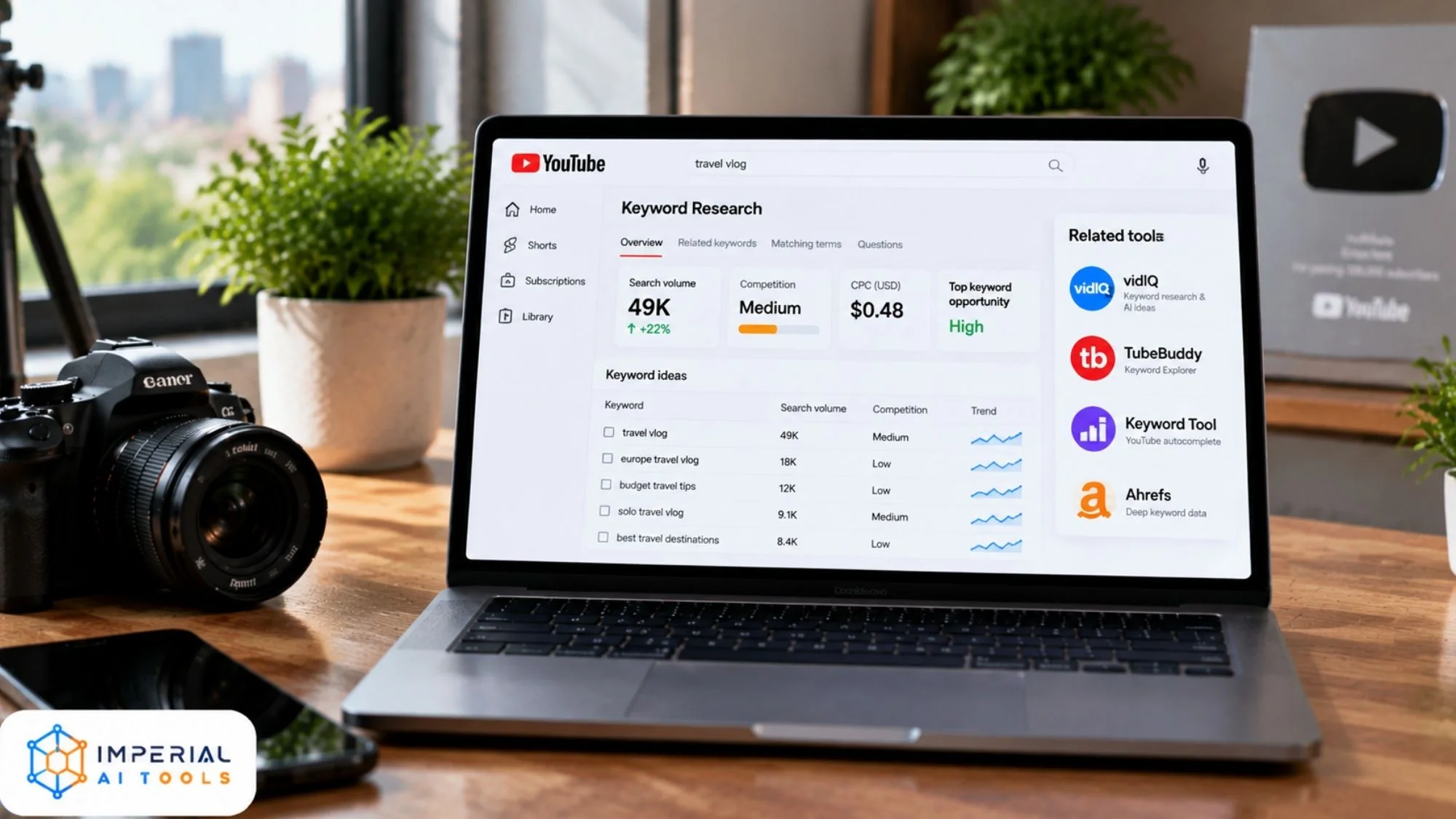
AI has changed how creators research and optimize their videos. With modern AI-powered YouTube SEO tools, creators can discover keywords, generate title ideas, draft descriptions, and uncover competitor insights within seconds. These tools help streamline the optimization process and make data-driven decisions easier for channel growth. Work that once took an afternoon now takes minutes.
The gains are real. AI video optimization means faster research, more title and thumbnail ideas, and a smoother workflow. vidIQ builds AI into its keyword and idea tools. General AI youtube tools like ChatGPT and Claude draft scripts, titles and descriptions from a simple prompt. Ask for ten title options, then pick the one that fits best.
The limits are just as real. AI works from past patterns, so it can sound generic or miss what makes your audience click. It cannot judge taste, timing or community feel. A strong AI content strategy uses these tools for speed, then relies on you for the final call. Human creativity still decides what gets watched. Review every AI suggestion before it goes live, especially titles and facts.
Creators who use AI across their whole workflow can also explore the wider set of best AI tools for content creators to speed up scripting, thumbnails, voiceovers and more. For SEO-focused writing beyond video, our copywriting and SEO tools category lists options that help you plan and optimize content.
Common mistake: Publishing AI-written titles and descriptions with no edit. They often read flat and miss your channel’s voice. Use AI for a first draft, then rewrite in your own words and add the hook that matches your video.
Best SEO Tools for Different Types of YouTube Creators
The right tool depends on who you are. Here are simple picks by creator type.
Beginners
Start free and simple. TubeBuddy and the vidIQ free plan teach the basics inside YouTube without a big spend. Add YouTube Studio for your own data. Do not buy a paid plan until you have published a few videos and hit a clear limit.
Faceless YouTube channels
These channels live or die on research and volume. AI research tools and keyword tools like vidIQ and Keyword Tool help find topics fast and plan many videos in a batch. If you make faceless content, you will also lean on video and voice tools, many of which sit in our AI video generators category.
Businesses
Brands that also run websites benefit from Semrush and Ahrefs. These YouTube marketing tools connect video research to wider search and content strategy, so one keyword plan can serve both your site and your channel.
Agencies
Agencies managing many channels need advanced analytics and team features. Semrush, Ahrefs and the top vidIQ or TubeBuddy tiers suit this scale. These youtube channel seo tools handle reporting across clients, which matters when you answer to more than one brand.
How to Choose the Right YouTube SEO Tool
Pick by fit, not by hype. Weigh five things: budget, experience level, channel size, content type and the features you need. A tool you never open is money wasted.
| Creator level | Priorities | Good fit |
|---|---|---|
| Beginner | Easy dashboard, free plans | TubeBuddy, vidIQ free, YouTube Studio |
| Professional | Advanced analytics, competitor tracking | vidIQ Boost, Ahrefs |
| Business or agency | Team collaboration, reporting | Semrush, Ahrefs, top vidIQ tiers |
One honest point most lists skip: you rarely need more than two tools. A YouTube-specific tool for optimization and one research tool for keywords covers almost every channel. Paying for four overlapping tools wastes money you could put into better thumbnails. Browse the full AI tools directory to compare options before you buy.
Pro tip: Test the free plans of two tools side by side for a week before you pay. Compare how each shows keyword data and how easily it fits your upload routine. The best tool is the one you will actually open every week.
A Simple YouTube Optimization Workflow
Tools work best inside a routine. Here is a simple flow you can repeat for every video, from idea to review. Most steps take only a few minutes each.
Find the keyword
Type your topic into YouTube search and read the autocomplete. Then check volume and competition in vidIQ or TubeBuddy. Pick a long-tail phrase you can realistically rank for.
Check demand and timing
Confirm the topic in Google Trends. If interest is rising, film soon. If it is seasonal, plan the upload for the right month.
Optimize title, tags and description
Write a title that includes the keyword and earns the click. Add relevant tags and a clear description. A tool will score each part as you go.
Test the thumbnail
Create two thumbnail options and run an A/B test in TubeBuddy. Let the data pick the winner instead of your gut.
Track and review
A week after upload, check your rank and retention. Note what worked, then feed the lesson into your next video idea.
This loop is the whole job in five steps. The tools handle the data; you make the calls. Repeat it for every upload and your channel improves from video to video.
Common Mistakes When Using YouTube SEO Tools
Tools help only when used well. These mistakes hold creators back, even with good software.
- Choosing keywords by search volume alone. High volume with high competition rarely ranks for a small channel. Balance demand against difficulty every time.
- Ignoring viewer intent. A keyword must match what the searcher actually wants to watch, not just contain the right words.
- Depending fully on automation. Auto-tags and AI suggestions are a starting point, not the finished job. Always add a human check.
- Overusing tags. Stuffing dozens of loose tags does not help and can confuse relevance. A few precise tags beat many vague ones.
- Skipping competitor analysis. If you never study what already ranks, you keep guessing at what works.
- Ignoring thumbnails. The best keyword fails if the thumbnail does not earn the click. Test it like you test titles.
Avoiding these YouTube SEO mistakes matters more than the tool you pick. A good youtube growth strategy pairs data with judgement.
What to Do When Results Fall Flat
Sometimes you optimize well and views still lag. That is normal, and it is fixable. Here is how to respond to the three most common problems.
- Low clicks: the thumbnail or title is weak. Test a new version with TubeBuddy A/B testing and keep the winner.
- Clicks but early drop-off: the first 30 seconds do not deliver on the title. Check retention in YouTube Studio and tighten the intro.
- No search traffic: the keyword may be too competitive. Move to a longer, lower-difficulty phrase and re-optimize the title and tags.
Change one thing at a time and give each change a week to settle. Fixing everything at once hides which change actually helped.
Our Verdict on YouTube SEO Tools
After weighing the field, our view is simple. The best SEO tools for YouTube are the ones matched to your stage, not the ones with the longest feature list. For a new creator, start free: YouTube Studio for your own data, plus TubeBuddy or the vidIQ free plan for keywords. Add one paid tool only when a free limit blocks your weekly work, and choose TubeBuddy for testing or vidIQ for AI ideas. The honest caveat: no tool makes a bad video rank. These platforms sharpen your keywords, titles and thumbnails, but watch time and real value still decide growth. Use the data, then trust your judgement on what to make.
Choosing the Right YouTube SEO Tools for Your Channel
The best choice depends on your goals. Free tools are enough for most beginners, and they teach the core skills without a bill. As your channel grows, paid YouTube SEO software adds deeper keyword data, competitor tracking and AI features that save real time. The winning creators are not the ones with the most subscriptions. They pair a couple of solid tools with strong content and an honest review of their own analytics.
Next step: explore the best YouTube SEO solutions, compare features, and choose the tool that helps your channel discover new growth opportunities. For more hands-on help, browse our full library of AI guides and put these tools to work on your next upload.
External reference: YouTube Help on how its search and discovery system works.
Frequently Asked Questions About SEO Tools for YouTube
What is the best SEO tool for YouTube beginners?
TubeBuddy and the vidIQ free plan are the easiest starting points. Both work inside YouTube, offer free tiers, and guide new creators through tags, titles and keyword ideas. YouTube Studio is also free and shows the search terms already bringing views to your channel.
Are free SEO tools for YouTube effective?
Yes, for research and basic optimization. Free plans from TubeBuddy, vidIQ, YouTube Studio and Google Trends cover keyword ideas, trends and analytics. They add daily limits and hold back bulk edits and deep data. Upgrade once those limits slow down your weekly workflow.
Do YouTube SEO tools actually increase views?
They improve your decisions, not the video itself. Tools help you pick better keywords, titles and thumbnails, which can raise clicks and search visibility. Views still depend on content quality, watch time and audience retention. A tool guides the work; it does not replace a good video.
Which is better, TubeBuddy or vidIQ for YouTube SEO?
TubeBuddy wins on price, A/B testing and bulk edits inside YouTube Studio. vidIQ wins on AI content ideas, trend alerts and competitor tracking. TubeBuddy Pro starts cheaper. vidIQ Boost costs more but adds AI credits. Pick TubeBuddy for testing, vidIQ for ideation.
Can AI tools help with YouTube SEO?
Yes. AI tools for YouTube SEO suggest keywords, generate title options, draft descriptions and analyze competitors fast. vidIQ and general chat tools like ChatGPT and Claude help most. The limit is judgement. AI cannot understand your audience or replace real creativity, so review every suggestion.
How do I find keywords for YouTube videos?
Start by typing a topic into YouTube search and reading the autocomplete suggestions. Then check search volume and competition in vidIQ, TubeBuddy or Keyword Tool. Pick long-tail phrases with clear intent, and confirm demand in Google Trends before you build the video around them.