Learning how to use Semrush is the fastest way to go from guessing at SEO to seeing exactly what is working, what is broken, and which keywords you can actually rank for. This guide walks you through eight steps the same workflow a working SEO runs every week using Semrush’s free plan wherever possible. By the end, you will know how to check any website, find low-competition keywords, fix technical errors, audit backlinks, and track your rankings daily. A first full pass takes about three hours.
This one gives you the exact free plan limits, the tools Semrush renamed in 2026, and the new AI visibility reports that older tutorials never mention.
Quick Answer
To use Semrush, create an account, then run Domain Overview on your site to see traffic and Authority Score. Next use the Keyword Magic Tool for keyword research, Keyword Gap for competitor keywords, Site Audit for technical errors, Backlink Audit for link quality, and Position Tracking to monitor rankings daily.
Key Takeaways
- A free Semrush account allows 10 searches per day, 10 results per report, one project, a 100 page crawl and 10 tracked keywords.
- Semrush renamed Organic Research to Organic Rankings and Keyword Manager to Keyword Strategy Builder, so older tutorials show old menu names.
- Adobe completed its purchase of Semrush on 28 April 2026, and Semrush now runs as an Adobe company.
- The metric that decides whether you can rank is Personal Keyword Difficulty, not plain Keyword Difficulty.
Good SEO work only gets better over time. It’s only search engine tricks that need to keep changing.
How to Use Semrush Account and Understand the Free Plan
Go to semrush.com and click Sign Up. A Semrush login takes an email address and a password. There is no Semrush download and no desktop app, because the whole platform runs in your browser. Semrush does offer a browser extension called SEOquake. It shows on-page data and SERP metrics while you browse. Install it separately from the Chrome or Firefox store.
Now the part every other guide leaves vague. A free account is genuinely usable, but the caps bite fast:
- 10 searches per day across all analytics reports.
- 10 rows of results per report.
- One project.
- 100 pages per Site Audit crawl, per month.
- 10 keywords in Position Tracking.
A Semrush trial removes those caps for seven days. Older articles claim 14 days. Seven is the standard trial length Semrush advertises now, so plan your week around it. If you do not plan to continue afterwards, follow the semrush trial cancellation process before the renewal date.
Pro tip: Do all your reading and planning first. Start the free trial on a Monday morning, and run every export you need inside those seven days.
Step 1: How to Use Semrush Domain Overview

Open Domain Overview and paste a domain. This is the fastest Semrush traffic checker and the report you will open most often. Four numbers matter here. Authority Score is Semrush’s own 0 to 100 rating of a domain’s strength, and it is what people mean when they call it a Semrush domain authority checker. Organic Search Traffic is the estimated monthly visits from Google. Organic Keywords is how many terms the site ranks for. Backlinks counts the links pointing at it.
Run this on your own site, then on three competitors. Write the four numbers in a spreadsheet. That single table tells you whether you are chasing sites in your weight class or far above it.
Time: 10 minutes. Cost: free.
Step 2: How to use Semrush for keyword research

Open the Keyword Magic Tool. This is the main Semrush keyword tool and it replaces a separate Semrush keyword planner. Type one broad seed term for your topic and add your own domain in the field beside it. You now get thousands of Semrush keyword ideas with search volume and difficulty. Read four columns:
- Volume: average monthly searches in your chosen country.
- KD %: Semrush keyword difficulty, meaning how hard the top 10 is for anyone.
- PKD %: Personal Keyword Difficulty, meaning how hard it is for your domain.
- Intent: informational, commercial, transactional or navigational.
PKD is the column that decides your month. If PKD sits at or below KD, you can compete now. If PKD is much higher, your site lacks authority on that topic and the page will not rank. Almost no Semrush tutorial explains this, and it is the single biggest reason beginners target the wrong terms.
To find low-competition keywords, filter Volume above 100 and KD below 40, then switch to the Questions tab. Question keywords are cheap to rank for and they get quoted in AI answers. Tick the boxes beside the keywords you want and click Add to keyword list.
Time: 45 minutes. Cost: free plan gives 10 rows per search, so this step is where the free tier hurts most.
Step 3: How to use Semrush for competitor analysis

Semrush competitor research runs through two reports. Start with Organic Rankings, which Semrush called Organic Research until 2026. Enter a rival domain and open the Positions tab to see every keyword they rank for. Filter positions 7 to 20 with volume above 100. Those are pages sitting just outside the click zone, so they show you topics with proven demand and beatable pages.
Next open Keyword Gap. Enter your domain plus up to four rivals, select Organic keywords, and click the Missing tab. Semrush competitor keywords appear here as terms they rank for and you do not. This is the fastest way to find competitors worth copying and gaps worth filling. Ignore branded terms. You will never rank for a rival’s company name, and those rows pad the list.
Time: 30 minutes. Cost: free plan shows 10 rows, which is not enough for real gap work.
Step 4: Turn keywords into a plan with Keyword Strategy Builder
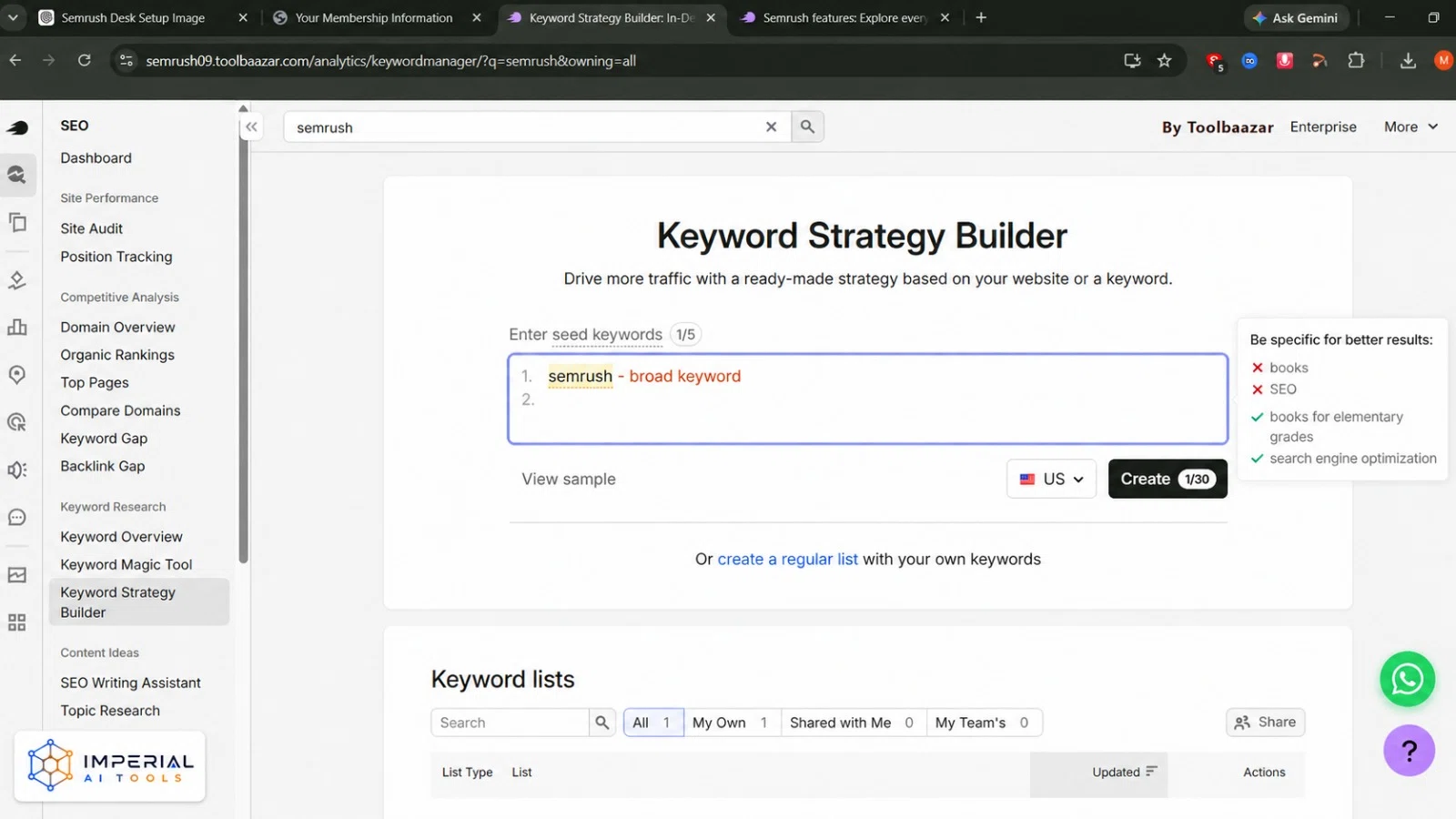
Keyword Strategy Builder is the tool Semrush used to call Keyword Manager. It turns a flat keyword list into a publishing plan, which is how you plan a content strategy that holds together. Two routes work here. Open your saved list and click Cluster this list, and Semrush groups related terms automatically. Or enter up to five topic areas, pick a location, and click Create to build a list from scratch.
The output gives you pillar pages and subpages. Each cluster shows its combined search volume, its keywords and the pages currently ranking. One cluster equals one page you write. Expand each cluster before you accept it. Move any keyword whose intent does not match the rest. Merge two clusters when they clearly describe the same page. From there, send keywords straight to the SEO Writing Assistant or to Position Tracking.
Time: 20 minutes, plus up to 15 minutes of processing for large lists.
Step 5: How to run a Semrush site audit
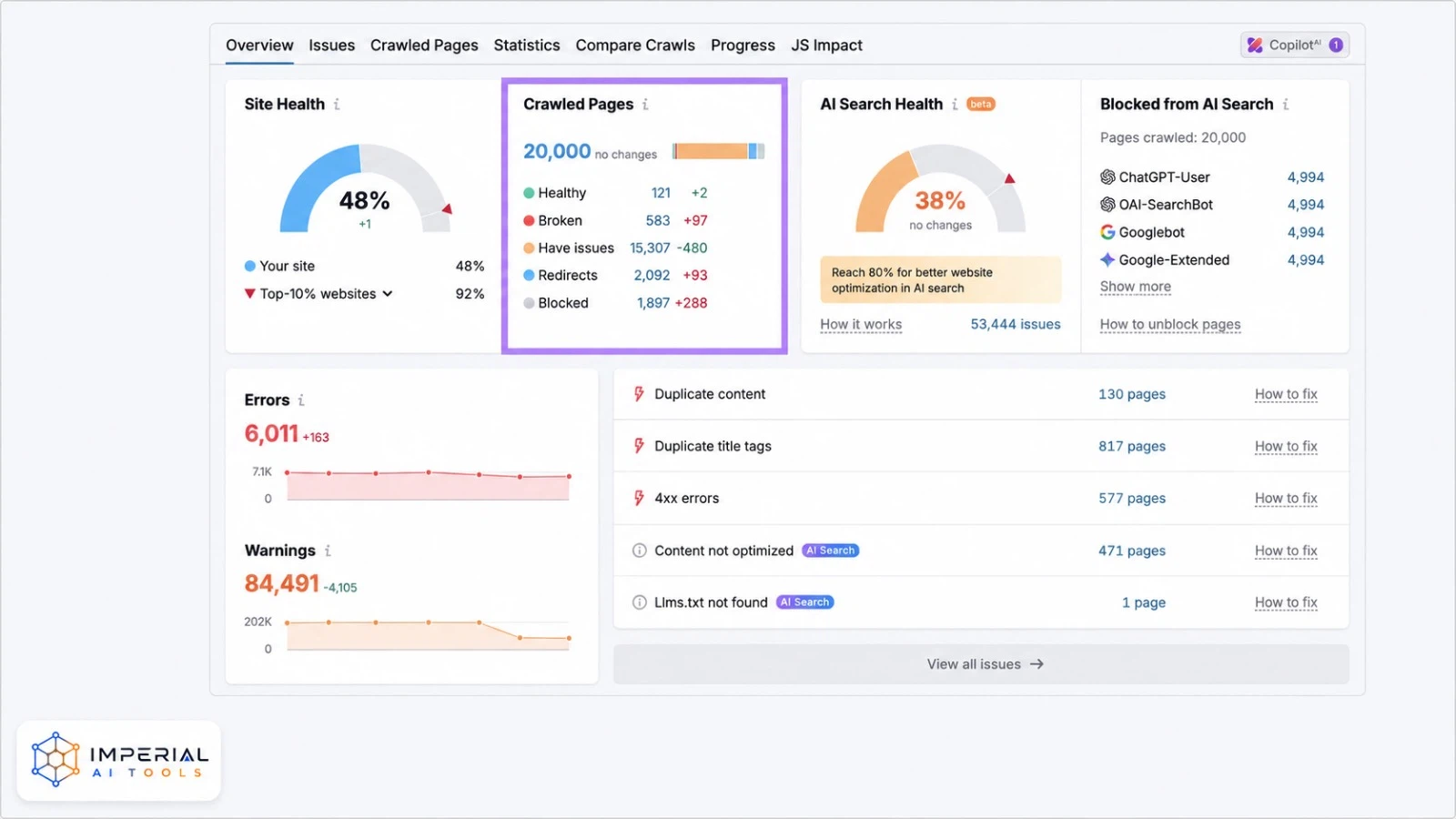
The Semrush site audit is a crawler. It visits your pages and reports what is broken. To reach it, create a project first, because Site Audit lives inside Semrush Projects and not in the analytics menu. Click Projects, add your domain, then open Site Audit and set a crawl limit. Choose Website as the crawl source unless you have a reason to use a sitemap. The crawl runs about 140 checks covering crawlability, HTTPS, performance, Core Web Vitals, markup, internal links and international SEO. It doubles as a Semrush broken link checker and a Semrush SEO score checker.
Your result is a Site Health Score from 0 to 100 percent. It compares errors and warnings against the number of checks performed, and errors weigh more than warnings. Fix in this order: errors first, then warnings, then notices. Inside each issue, the “Why and how to fix it” link explains the repair in plain words.
One newer widget matters in 2026. AI Search Health tells you whether bots like ChatGPT-User, Claude SearchBot and PerplexityBot can reach your pages. Block those, and AI tools cannot cite you even when your SEO is perfect.
Time: 15 minutes to set up, then 10 to 60 minutes of crawling.
Pro tip: Schedule the audit weekly while you are actively changing the site, then move to fortnightly once things settle.
Step 6: On Page SEO Checker and the SEO Writing Assistant
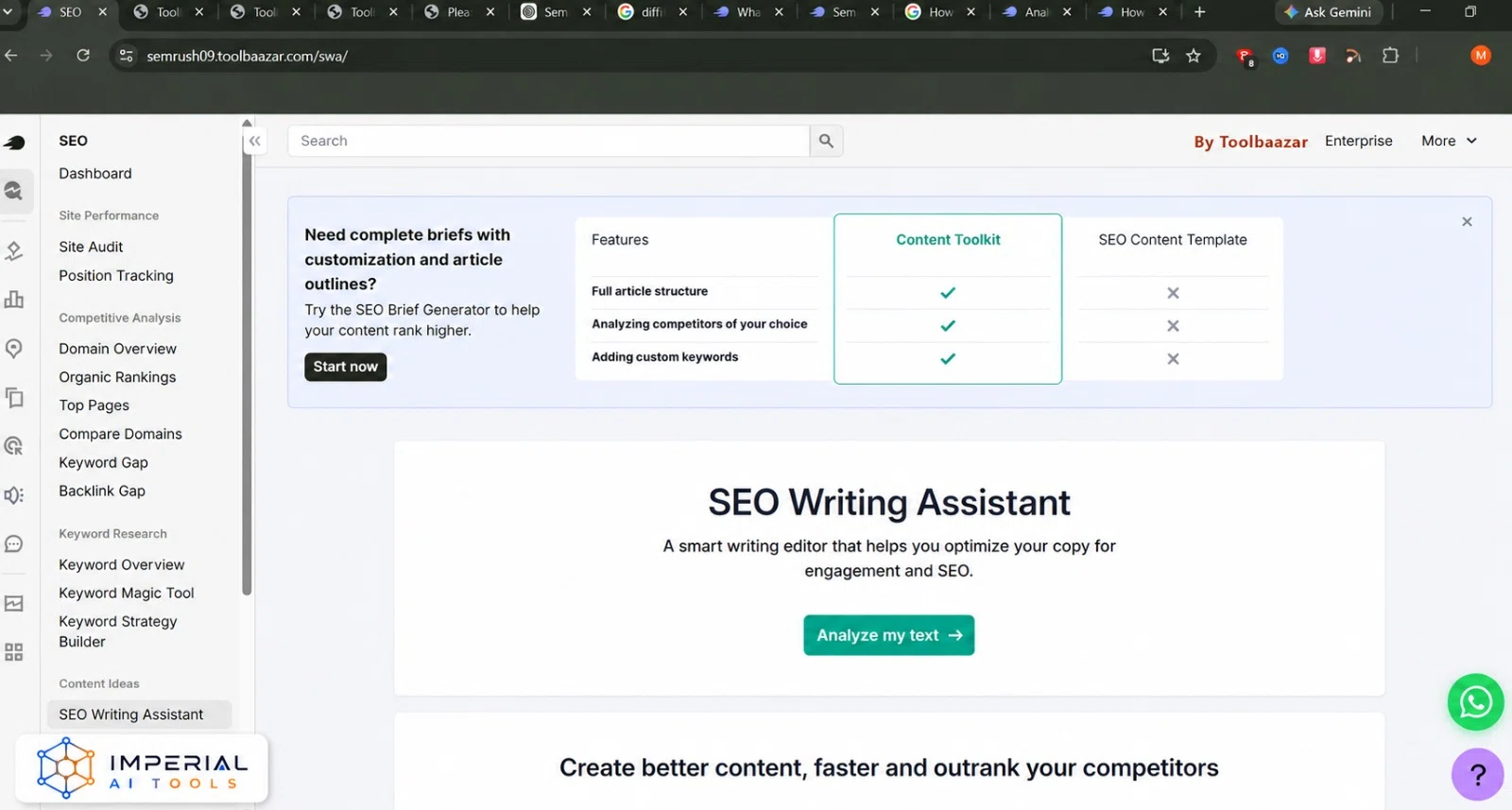
On Page SEO Checker sits in the same project. Connect Google Search Console or paste your target keywords, and it compares your page against the current top 10 results. It returns ideas grouped into strategy, content, semantic, backlink, technical, user experience and SERP feature buckets. Start with the semantic and content ideas, because those are the ones you can act on today.
The Semrush SEO Writing Assistant works while you draft. It runs inside Google Docs, WordPress and the Semrush editor. It scores readability, tone, originality and keyword coverage in real time. Chasing a perfect score usually makes writing worse. For finding topics rather than fixing pages, use the Topic Research tool. It returns subtopics, headlines and questions around any seed term.
Step 7: How to use the Semrush backlink audit tool,
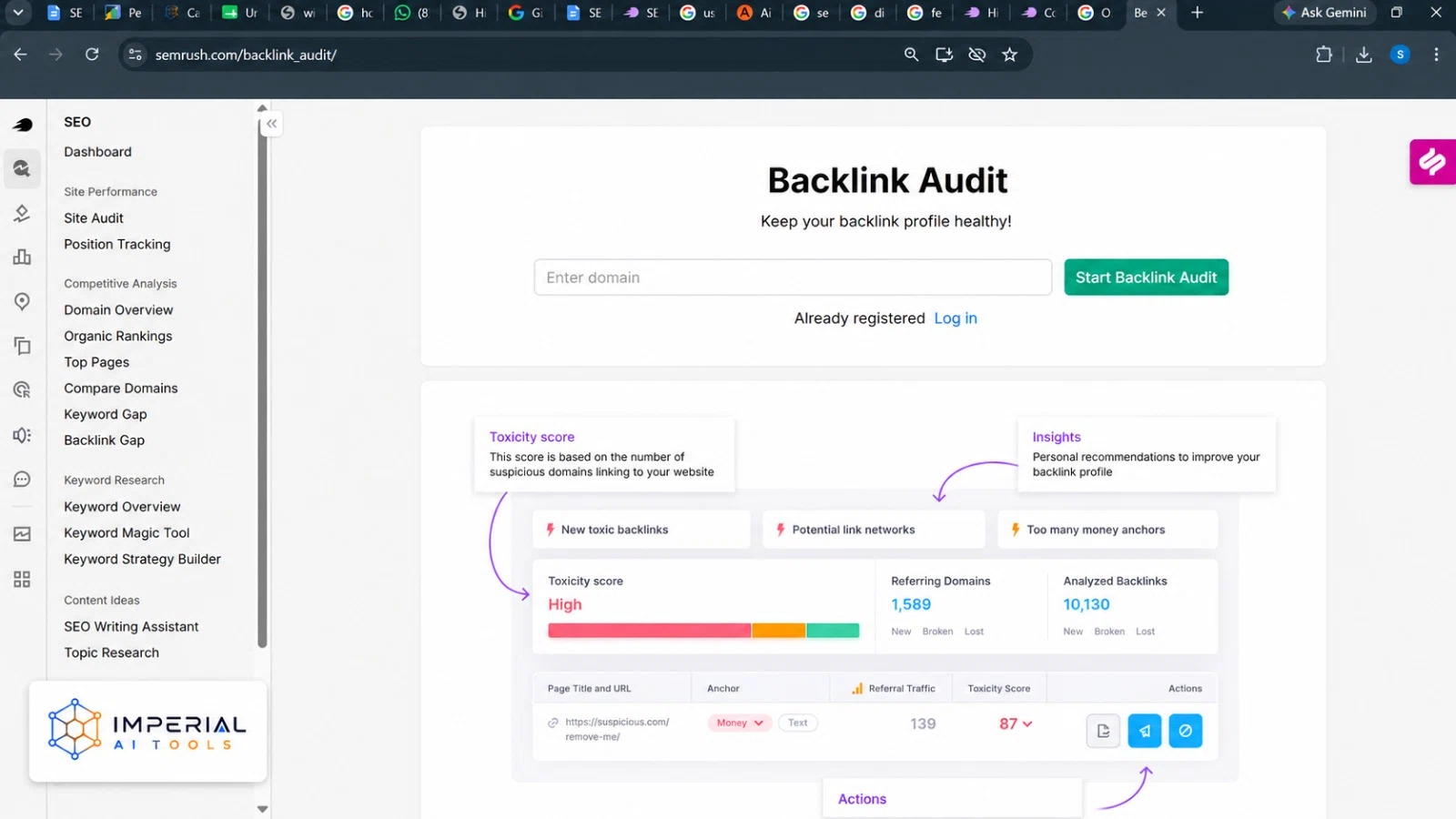
People ask how to access the Backlink Audit tool on Semrush and get stuck. The answer is that it is project based. Open your project, then click Backlink Audit and connect Google Search Console when prompted. Backlink Audit scores each referring domain for toxicity. Review the flagged links by hand before acting, because the score is a signal and not a verdict. Genuine links do get flagged.
Semrush backlink analysis for any domain, including sites you do not own, runs through Backlink Analytics instead. Enter a competitor, open Referring Domains, and sort by Authority Score to see who links to them. The Link Building Tool turns that research into outreach. It pulls prospects from your competitors’ link profiles, lets you connect an email account, and tracks which prospects replied.
Step 8: Track results with Semrush position tracking
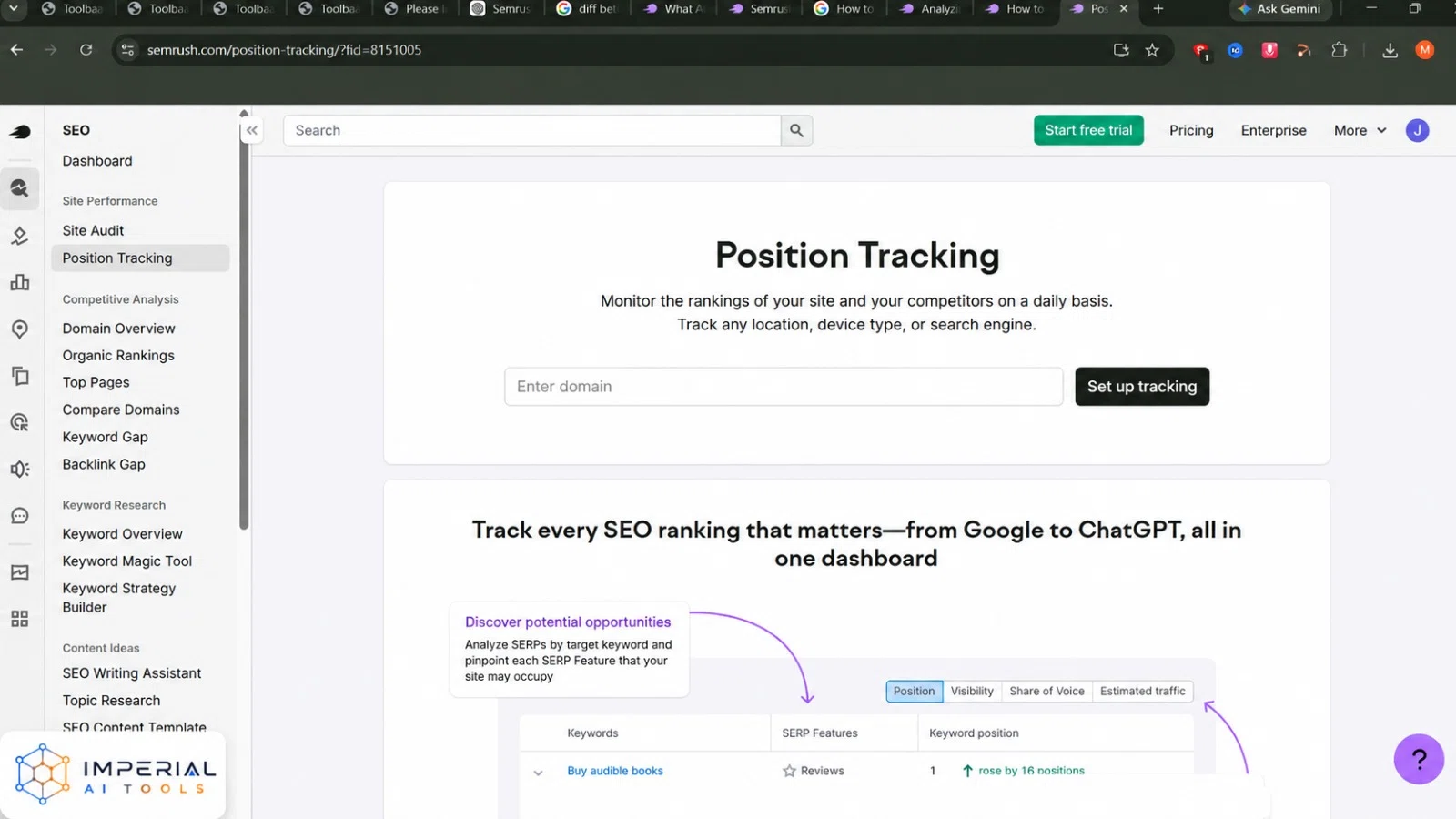
Position Tracking is the Semrush rank checker. Add your domain, your keyword list, your competitors, your country and your device type. Rankings then update daily. Set the location as tightly as your business allows. A national setting hides local reality for a shop or a clinic, which is also why Semrush local SEO tools use separate location settings. Position Tracking now also monitors visibility on AI platforms such as ChatGPT and Gemini, alongside Google. The Summary widget shows recent movement with links to the detailed reports.
Give it 30 days before judging anything. Daily rank movement is mostly noise. To turn this into a client report, open My Reports, pick a template, drag in the widgets you want, and schedule a PDF. That is how to create an SEO report using Semrush without exporting anything by hand.
How to use Semrush for AI search visibility
Search now includes ChatGPT, Gemini, Perplexity and Google AI Overviews, and the Semrush AI SEO Toolkit tracks all of them. Three reports do the work. Prompt Research shows the actual questions people ask AI tools in your category, broken into topics and prompts. Competitor Research shows prompts where rivals get mentioned and you do not. Brand Performance tracks your citation rate over time.
The AI Visibility Toolkit is a paid add-on, not part of the standard plans. It costs $99 per month for one domain and 25 tracked prompts. Extra prompts cost about $60 per month for 50 more, and each extra domain costs another $99. Semrush One bundles the SEO tools and the AI tools together, starting at $199 per month. That is cheaper than buying Pro and the AI toolkit separately.
Common Semrush Mistakes Beginners Make
- Following a tutorial written before 2026. Organic Research is now Organic Rankings and Keyword Manager is now Keyword Strategy Builder. If a menu name does not exist, the guide is stale.
- Assuming social media scheduling is included. The Social Toolkit is a separate paid product starting around $20 per month.
- Targeting keywords by volume alone. High volume with high PKD produces pages that never rank.
- Burning your 10 free daily searches on random domains. Plan the 10 lookups you need before you log in.
The Imperial AI Tools take on Semrush
Semrush is the most complete SEO platform available, and it is also the easiest one to waste money on. The fastest path for a beginner is narrow: learn how to use Semrush with three tools only, which are Keyword Magic Tool, Site Audit and Position Tracking. Run those on the free plan for two weeks, then start the seven day trial once you know what you want from it. Start on Pro rather than Guru, because most solo users never touch the historical data that justifies the higher tier. The honest caveat is price. At $139.95 per month, Semrush is hard to justify for a site publishing once a month. Publish weekly, and it pays back quickly.
Frequently Asked Questions
Create a free account at semrush.com. You get 10 searches per day, 10 rows per report, one project, a 100 page Site Audit crawl and 10 tracked keywords. That is enough to audit a small blog and run basic keyword research. Semrush also offers several free tools that need no account.
Open Keyword Strategy Builder, then either paste a saved keyword list and click Cluster this list, or enter up to five topic areas and click Create. Semrush groups the terms into pillar pages and subpages. Each cluster becomes one page, with its own combined search volume.
No. Semrush covers paid search research, content planning, local listings, social scheduling, competitor intelligence and AI search visibility. SEO is the largest toolkit, not the only one. Several of those toolkits are sold separately, so check what your plan actually includes.
Only if you publish regularly. At $139.95 per month, Semrush pays for itself when one page ranks for a commercial keyword. Sites publishing occasionally get better value from the free plan plus Google Search Console. Run the free tier for a month before deciding.
Expect about three hours to complete one full pass through the eight steps in this guide. Comfort with the main reports takes roughly two weeks of regular use. Semrush Academy offers free courses that shorten the process considerably.