Ahrefs is a cloud-based SEO platform for researching keywords, backlinks, competitors, rankings, and technical site issues, used by SEO professionals, agencies, and marketing teams to find search opportunities and measure organic performance. It’s a data and reporting tool, not a service that ranks your site for you: As an Ahrefs tool overview, this guide covers keyword research, backlink analysis, site audits, and rank tracking in one login.
No installations needed; just log in and start exploring. This guide covers what Ahrefs actually does, how its core tools work, what it costs in 2026 ($29 to $1,499 a month), and who it’s genuinely worth the money for.
Quick Answer
Ahrefs is a cloud-based SEO platform for researching keywords, backlinks, competitors, rankings and technical website issues. It helps marketers find search opportunities and measure organic performance. At its core, it is a data and reporting tool that supports SEO decisions using third-party estimates, not a service that ranks your site for you.
Key takeaways
- Ahrefs is an SEO and marketing intelligence platform, strongest in backlink and competitor data.
- Its metrics, like Domain Rating, are comparative indicators, not Google ranking factors.
- Paid plans run from $29 to $1,499 per month in 2026, with a free tier for sites you own.
- Traffic figures for sites you do not own are estimates, so treat them as trends, not exact counts.
What Is Ahrefs?
Ahrefs is a cloud-based SEO and marketing intelligence platform. You log in through a browser, type in a domain, URL or keyword, and get back data on search performance. There is nothing to install.
The tool started mainly as a backlink analysis platform, tracking which websites link to which pages. It has grown well beyond that. Today it covers keyword research, competitive analysis, site audits, rank tracking, and newer AI visibility features. The company behind it is based in Singapore.
Its main audience is broad. That includes SEO professionals, content marketers, website owners, agencies, and in-house marketing teams. Beginners use it too, though the depth of data can feel heavy at first.
Here is the part people miss when they first ask what is Ahrefs in SEO terms. The tool does not directly improve your rankings. It does not push your pages up in Google. What it provides is data, estimates, and recommendations that help you make smarter SEO decisions. You still do the work.
What Kind of Tool Is Ahrefs?
So, what is Ahrefs exactly? It’s a cloud-based SEO platform, not a browser extension, not desktop software, and nothing to install. You log in through a browser, and every report runs on Ahrefs’ own servers using data from its independent web crawler, AhrefsBot. Some people assume Ahrefs is itself an ahrefs search engine for end users it isn’t; Yep is a separate, smaller product, while the main platform is a research tool that reports on how sites perform in Google and other engines.
That distinction matters more than it sounds: Ahrefs doesn’t plug into your Google Search Console or Google Analytics account to work. It builds its own index of the web, backlinks, keywords, and site content, and reports on any domain, including competitors’, which is the opposite of how first-party analytics tools operate. In practical terms, that makes Ahrefs a research and diagnostic tool, not a service that changes anything on your site or ranks it for you.
What Does “Ahrefs” Mean?
If you’re looking for the ahrefs meaning behind the name, it’s a condensed form of ‘a-href,’ the HTML attribute used to create a hyperlink. The name is a direct nod to the company’s original focus: link and backlink data. People searching to define ahrefs in one line usually mean this: it’s a paid SEO platform for backlink, keyword, and competitor research not a free directory or a Google product.
Ahrefs was founded in 2011 by Dmitry Gerasimenko, who built the tool after struggling to get reliable backlink data from existing SEO software at the time. The company started as a backlink checker and expanded over the following decade into the full keyword-research, rank-tracking, and site-audit platform it is today, but the name still points back to where it began: the humble <a href> tag that makes the web linkable in the first place. If you came here looking for an Ahrefs wiki style overview, this section and the one above it cover the full history and definition in more depth than a wiki entry would.
What Is Ask Ahrefs?
Ask Ahrefs is the platform’s built-in AI assistant, launched in 2026. It lets you query your Ahrefs data, run reports, and navigate the tool in plain English instead of digging through menus it’s included free on Lite and higher plans during its beta period.
What Is Ahrefs Used For?

Anyone researching SEO Ahrefs features usually lands on one of six recurring questions. Each report below solves one job. Picture a small store owner planning a blog. They open Keywords Explorer to find low-difficulty topics, check a rival’s backlinks in Site Explorer, then track their new posts in Rank Tracker. One login, three answers.
- Which keywords should I target?
- Who links to my competitors?
- Where are my rivals winning?
- What is technically broken on my site?
- Where do I rank right now?
- Am I showing up in AI search?
Researching keywords
You find phrases worth targeting before you write. Keywords Explorer shows search volume, keyword difficulty, search intent, traffic potential, and a SERP analysis of who currently ranks. That helps you skip terms you cannot realistically win.
Analyzing backlinks
You see who links to any site and how strong those links are. The backlink report covers referring domains, anchor text, new links, lost links, and full competitor link profiles. This is where Ahrefs has always been strongest.
Finding competitor opportunities
Ahrefs competitor research starts with the same question every time: what does my rival rank for that I don’t? You then build content to match or beat them.
Auditing technical SEO
You catch problems that quietly hurt rankings. Site Audit flags broken links, crawlability issues, duplicate pages, messy redirects, indexability problems, and weak internal linking. Each issue comes with a short explanation. Want a dedicated crawler instead? See our seo crawler comparison.
Tracking search rankings
You watch your positions move over time. Rank Tracker follows keyword positions by location, by device, and by exact keyword, so you can prove progress or spot drops early.
Monitoring AI search visibility
You check whether AI answers mention your brand. Brand Radar and tracked AI prompts show your visibility across AI search results. This area is newer and changes often, so treat it as an evolving feature rather than a finished one.
How Does Ahrefs Work?

Ahrefs works in a simple loop, even though the engine behind it is large.
- AhrefsBot crawls publicly accessible web pages across the internet.
- Ahrefs processes the links, keywords, and page details it finds.
- Its databases organize all of that into searchable reports.
- You enter a domain, URL, or keyword you want to study.
- Ahrefs returns metrics, estimates, and historical data.
- You turn those findings into real SEO actions.
One point deserves a clear warning. Ahrefs estimates competitor traffic using its own models. It does not read a competitor’s private Google Analytics account, because no third-party tool can. Its numbers can differ from Google Search Console for your own site too. Treat Ahrefs metrics as comparative indicators, useful for spotting trends and gaps, not as exact Google ranking factors. Ahrefs also runs its own Ahrefs search engine, called Yep, which powers part of its independent crawl data separately from Google’s index.
Common mistake: Reading Ahrefs traffic as a hard number. It is a modeled estimate. Use it to compare two sites or track a trend, never to report exact visits to a client.
What is AhrefsBot?
AhrefsBot is the company’s web crawler, the software that visits pages across the internet and collects the link and content data that fills every Ahrefs report. It identifies itself with the user agent string “AhrefsBot”. This is sometimes called the Ahrefs UA (user agent) it’s what shows up in your server logs and what you target in robots.txt if you want to block the crawler and generally respects robots.txt rules. If you don’t want it crawling your site, add this to your robots.txt file:
User-agent: AhrefsBot
Disallow: /
Most site owners leave it allowed, blocking AhrefsBot doesn’t protect you from competitors using Ahrefs to research your site (it just stops your own team, or people you’ve given access, from crawling it through Ahrefs). It also won’t affect Googlebot or your actual search rankings either way.
When Ahrefs data looks wrong
Three problems trip up new users the most. Each has a quick fix.
- Your traffic number looks too low. Ahrefs only counts estimated organic search visits. It ignores direct, email, and social traffic. Check Google Search Console for the fuller picture of your own site.
- A backlink is missing. Fresh links take time to appear. AhrefsBot has to crawl the linking page first, so a new link can lag by days. Wait and recheck before assuming it is gone.
- Keyword Difficulty feels off. The score leans heavily on backlinks. A low-difficulty keyword can still be hard if strong brands own the results, so always open the SERP analysis before you commit.
Does Ahrefs Keep a Record of Sites You’ve Checked?
Ahrefs itself does not publish a per-user “history” feature that logs every domain you’ve looked up for other users to see; your searches inside Site Explorer or Keywords Explorer are tied to your own account and aren’t visible to the site owners you’re checking. What it does keep, separately, is your own recent lookups list inside your account, so you can quickly return to domains or keywords you’ve already pulled data on.
It’s worth separating two different things people mean by this question: (1) can someone find out you specifically checked their site? No, Ahrefs gives site owners no notification or log of who looked them up; and (2) does your account remember what you’ve searched? Yes, for your own convenience, the same way a browser remembers recent tabs.
What Are the Main Ahrefs Features?

Ahrefs bundles several tools into one login. Here is what each core feature does and who it suits best. Descriptions stay short on purpose. Here’s a quick reference to the main ahrefs report types and what each one is actually for.
| Ahrefs feature | Main purpose | Best suited for |
|---|---|---|
| Site Explorer | Analyze traffic and backlinks | Competitor research |
| Keywords Explorer | Discover and evaluate keywords | Content planning |
| Site Audit | Identify technical SEO problems | Website maintenance |
| Rank Tracker | Monitor keyword positions | Performance reporting |
| Content Explorer | Find successful content and links | Content research |
| Competitive Analysis | Compare domains and keyword gaps | SEO strategy |
| Brand Radar | Research search and AI visibility | Brand monitoring |
| Web Analytics | Measure owned-site activity | Website owners |
Can You Check Multiple Sites in Ahrefs at Once?
Yes, Ahrefs supports checking multiple sites at once, primarily through Batch Analysis, a dedicated tool that accepts up to 200 URLs or domains in a single request and returns core metrics (Domain Rating, backlinks, referring domains, organic traffic) for all of them side by side.
This is the feature most people mean when they ask whether Ahrefs can compare sites in bulk, it’s built specifically for competitor benchmarking, prospect list qualification, and link-outreach vetting, where checking domains one at a time in Site Explorer would be impractical. Batch Analysis is available on paid Ahrefs plans; it is not part of the free tools.
Explore our complete guide to ahrefs features for a deeper explanation of each report.
What Do Ahrefs’ Metrics Mean? (DR, UR, KD, and Ahrefs Rank)
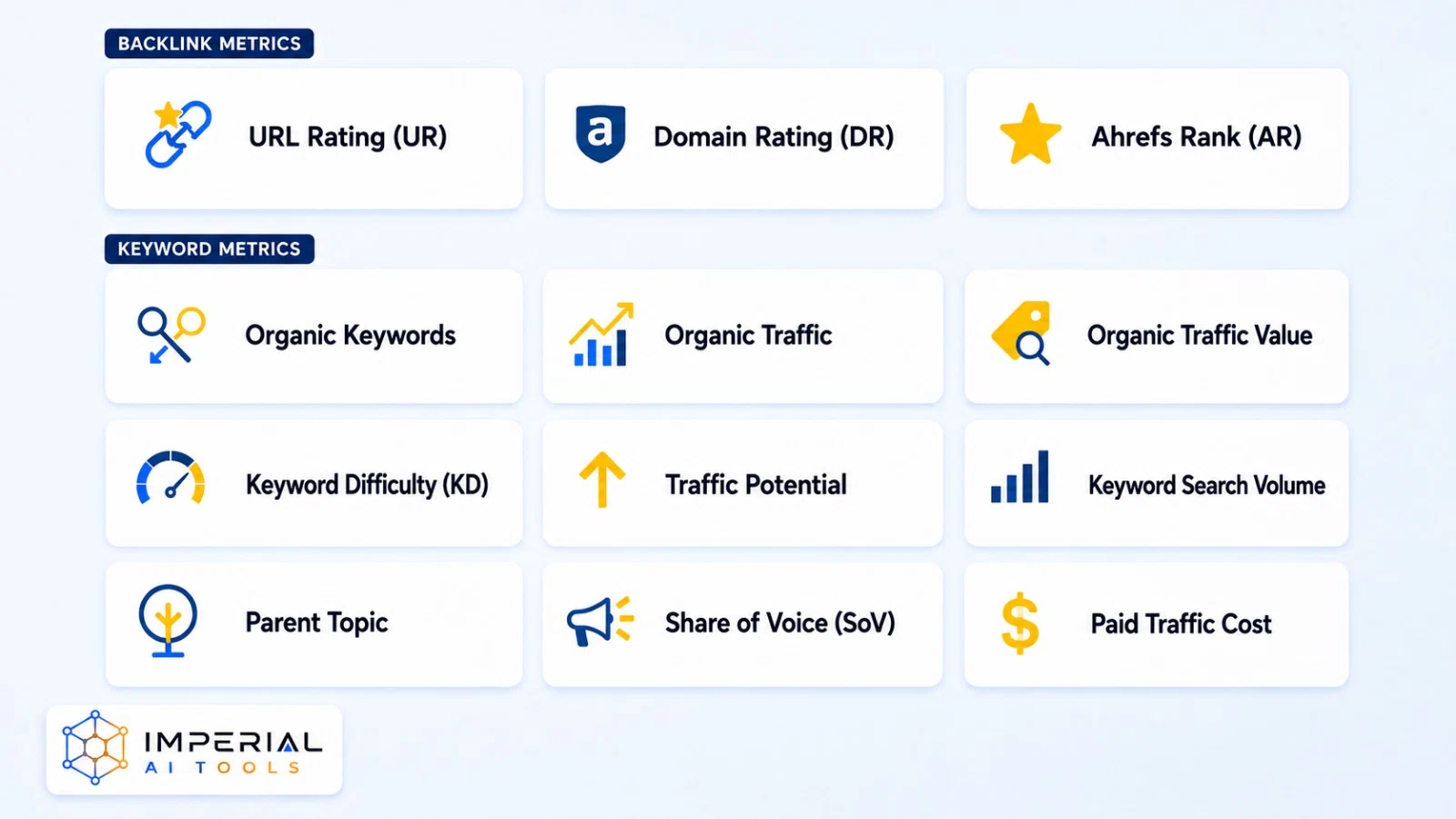
Ahrefs invented several of its own scores. They are useful, but only if you read them correctly. The table below gives the plain meaning of each one and its main limit.
| Metric | Meaning | Important limitation |
|---|---|---|
| Domain Rating | Relative strength of a domain’s backlink profile from 0 to 100 | Not a Google ranking factor |
| URL Rating | Relative backlink strength of one page from 0 to 100 | Does not measure total page quality |
| Keyword Difficulty | Estimated difficulty of ranking in the top results | Focuses heavily on backlink competition |
| Organic Traffic | Estimated visits from organic search | May differ from real analytics |
| Traffic Value | Estimated PPC value of organic traffic | Not actual revenue or business value |
| Referring Domains | Unique websites linking to the target | Quality matters more than quantity |
| Traffic Potential | Estimated traffic available from a topic | Depends on rankings and search behavior |
What Is Ahrefs Rank (AR)?
Ahrefs Rank (AR) is a single number that ranks every domain in Ahrefs’ index against every other domain in the world, based on the strength of its backlink profile; the lower the number, the stronger the site. A site with an Ahrefs Rank of 1 has the most authoritative backlink profile Ahrefs has measured; a site ranked 50 million has one of the weakest.
Ahrefs Rank is calculated from the same underlying data as Domain Rating, but the two aren’t interchangeable: DR is a 0–100 score meant for quick comparison between a handful of sites, while AR is a global leaderboard position across Ahrefs’ entire index, closer in spirit to a country’s population rank than to a percentage grade.
Does Ahrefs Count Social Media Links?
No, Ahrefs does not count links from social media platforms (Facebook, X/Twitter, Instagram, LinkedIn, and similar) toward Domain Rating, URL Rating, or backlink counts. Most links shared on social platforms are “nofollow” by default at the platform level, meaning they explicitly tell search engines and crawlers not to pass authority through them, and Ahrefs’ index reflects that same distinction.
Social shares still show up in Ahrefs under Content Explorer and social-engagement metrics, so they’re not invisible to the platform entirely, they’re just tracked as engagement signals, separate from the backlink data that feeds DR, UR, and Ahrefs Rank.
Pro tip: Anchor DR and UR to their source. Ahrefs defines both in its own Domain Rating documentation, which is more reliable than third-party explanations.
Ahrefs Pricing in 2026
| Plan | Listed price | Suitable for |
|---|---|---|
| Ahrefs Free | Free | Verified websites and basic owned-site analysis |
| Starter | $29/month | Light keyword and competitor research |
| Lite | $129/month | Small businesses and personal projects |
| Standard | $249/month | Freelancers and SEO consultants |
| Advanced | $449/month | In-house marketing teams |
| Enterprise | From $1,499/month | Large organizations requiring advanced controls |
A few things to keep in mind before you pick a tier:
- Annual billing may save up to 17%.
- The main plans include one user before you pay for extra seats.
- Limits vary by projects, exports, historical data, and tracked keywords.
- Some capabilities and add-ons cost extra.
- Enterprise requires an annual commitment.
- Prices may change by region, currency, and billing cycle.
Budget-conscious users can learn how to use ahrefs for free before spending anything.
Common mistake: Assuming the sticker price is your bill. Lite and Starter run on report credits, and extra users add per-seat fees. A heavy research month can cost more than the base plan.
Ahrefs Dashboard: What It Looks Like and How Reporting Works
Ahrefs reporting is organized around a left-hand navigation panel that separates Site Explorer, Site Audit, Rank Tracker, and Keywords Explorer, and Content Explorer, with a project-based home screen that surfaces your tracked sites’ key metrics (organic traffic, DR, top keyword movements) the moment you log in.
For custom reporting, Ahrefs includes a Report Builder inside its higher-tier plans, which lets users assemble metrics from multiple tools into a single branded report, useful for agencies sending client updates without exporting raw data into a separate spreadsheet or slide deck. Every report and chart in the dashboard can be exported as CSV, PDF, or shared via a live link, and most tables support column customization so only the metrics that matter to a given project are shown.
Who Should Use Ahrefs?
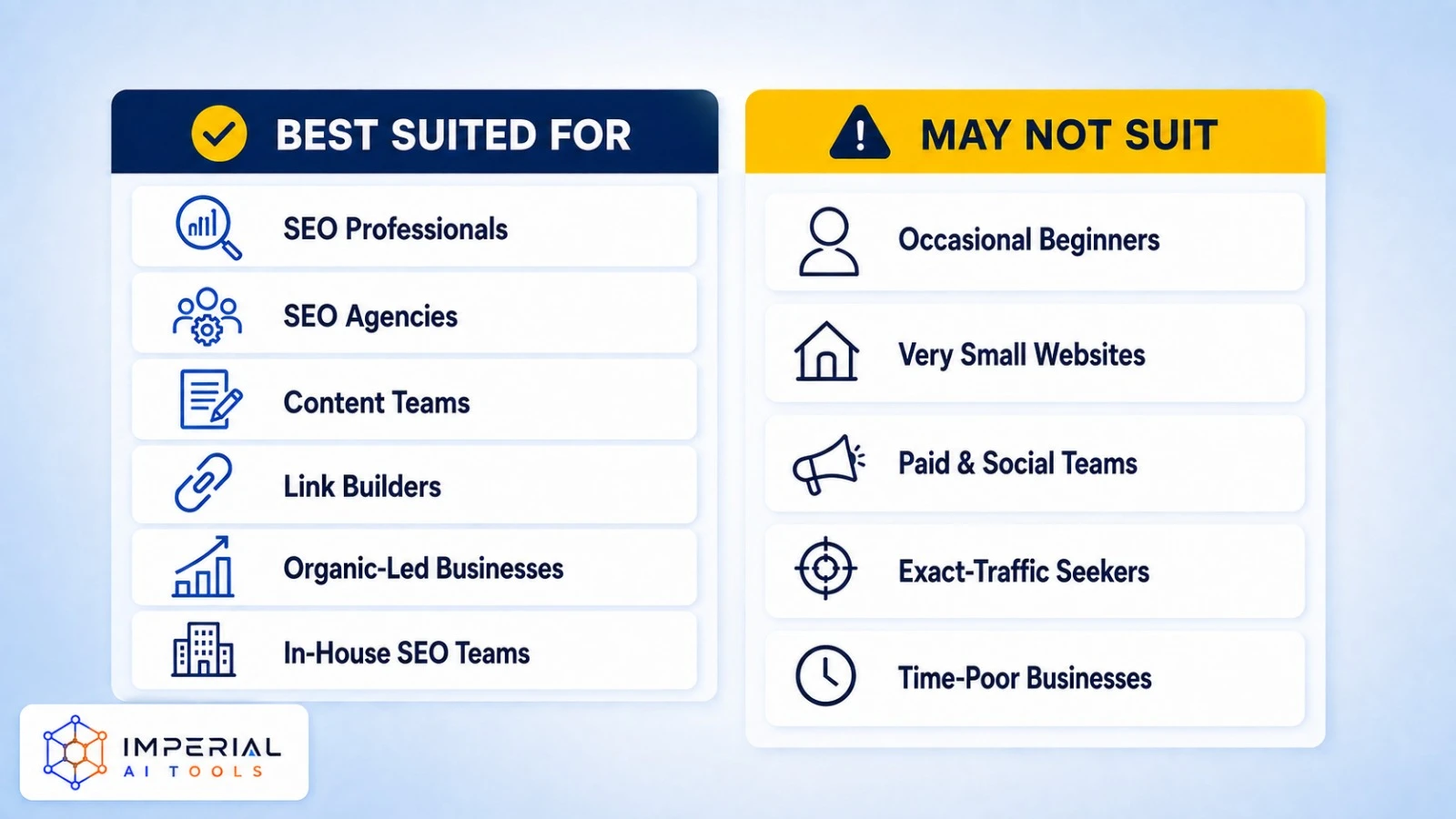
As an Ahrefs tool, it earns its cost for some teams and overshoots for others. Ahrefs earns its cost for some teams and overshoots for others. Match yourself to one of the lists below.
Best suited for
- SEO professionals researching competitive markets.
- Agencies managing several websites at once.
- Content teams building data-led strategies.
- Link-building specialists who live in backlink reports.
- Businesses where organic search drives meaningful revenue.
- In-house teams that need historical and competitor data.
May not suit
- Beginners who only need occasional keyword checks.
- Very small websites with a limited SEO budget.
- Teams focused mainly on paid ads or social media.
- Users expecting exact competitor traffic figures.
- Businesses without time or skill to act on the data.
Ahrefs Pros and Limitations
Here is the short version. For a deeper buying assessment, read our full breakdown below the table.
Advantages
- Strong backlink research
- Broad keyword database
- Detailed competitor analysis
- Useful technical audits
- Historical SEO data
- Search and AI visibility features
Limitations
- High monthly cost
- Learning curve for beginners
- Third-party traffic estimates
- Strict limits on some plans
- Several advanced tools need higher plans
- Can be excessive for small sites
For a deeper buying assessment, read our complete ahrefs pros and cons analysis.
Ahrefs Alternatives Worth Exploring
Ahrefs is powerful, but its price and reporting limits will not suit every website. Semrush offers a broader marketing suite, spyfu focuses more heavily on competitor advertising, and screaming frog specializes in technical crawling.
Free platforms can also handle basic research for smaller websites. See our roundup of free ahrefs alternatives if budget is your main concern. If Ahrefs is above budget, see how se ranking and moz stack up as lower-cost options.
Imperial AI Tools take: If you are still deciding what is Ahrefs good for in real work, the honest answer is competitor and backlink research at scale. Start on the free tier or the $29 Starter plan to test the data against your own site before you commit real budget.
The platform’s numbers are estimates, so pair them with Google Search Console for anything you report to a client. The one caveat we always give: the sticker price rarely matches the final bill once credits and extra seats stack up, so read the limits before you upgrade.
Conclusion: Is Ahrefs Worth Using?
Ahrefs is a comprehensive SEO platform for keyword research, backlink analysis, competitor discovery, technical audits, and rank tracking. Its data depth makes it especially useful for SEO professionals, agencies, and companies that depend on organic search.
Its paid plans can be expensive for beginners and small websites. Some users may only need Ahrefs Free, Google Search Console, or a lower-cost alternative like ubersuggest. So what is Ahrefs best used for in the end? Regular, revenue-linked SEO research where the insights lead to measurable results.
Start with free access if you manage a small website. Move to a paid plan when you need regular competitor research, larger reports, historical data, or professional client reporting. If your main goal is tracking traffic trends, a tool like similarweb can also fill part of the gap.
Frequently Asked Questions
Is Ahrefs data the same as Google Analytics?
No. Ahrefs estimates search traffic using its own keyword, ranking, and click models. Google Analytics measures activity on a website where its tracking code is installed.
Is domain rating a Google ranking factor?
No. Domain Rating is an Ahrefs metric that measures the relative strength of a website’s backlink profile. Google does not use Ahrefs DR in its ranking systems.
Can beginners use Ahrefs?
Yes, but beginners may need time to understand its reports and metrics. Its free tools and educational resources are better starting points than immediately purchasing an expensive plan.
Can Ahrefs show exact competitor traffic?
No. Ahrefs provides modeled estimates for websites it does not own. Use these figures for comparisons and trends, not as exact traffic or revenue numbers.
Is Ahrefs Free to Use?
Yes, with limits. Ahrefs Free covers basic checks on websites you’ve verified you own it’s not a full-feature trial. For competitor research, you’ll need a paid plan starting at $29/month.