To cancel your Claude subscription, open Settings > Billing on claude.ai or the desktop app and click Cancel. If you paid inside the iPhone or Android app, cancel through Apple or Google Play instead, because they handle that billing. Cancel at least 24 hours before your renewal date, or you may be charged for another period.
After you cancel, you keep Pro or Max until your paid period ends. Then your account moves to the Free plan. Your chats and projects are not deleted, and cancelling does not refund money you have already paid. The exact steps for every device, plus refunds and auto-renew, are below.
Quick answer: How to Cancel Claude subscription
- Find who bills you: Claude (claude.ai or desktop), Apple, or Google Play.
- On claude.ai or desktop: open Settings > Billing and click Cancel.
- On iPhone: Settings > your name > Subscriptions > Claude > Cancel Subscription.
- On Android: Google Play > Payments & subscriptions > Subscriptions > Claude > Cancel.
- Cancel at least 24 hours before your renewal date. You keep access until the period ends.
How to Cancel Claude Subscription: Quick Steps by Device
The correct cancellation method comes down to where you originally subscribed. If you paid through Claude’s website or desktop app, you manage everything inside Claude. If you subscribed on a phone, Apple or Google Play controls the billing, and you cancel there instead. This one detail causes most of the confusion, people try to cancel a mobile plan from the website, don’t find it, and assume they’re stuck.
So before anything else, think back to how you first paid. Card details entered on the Claude site point to a direct subscription. A charge that shows up on your Apple or Google receipt points to an app-store plan. Once you know which one you have, the rest takes about a minute.
| Where You Subscribed | Where to Cancel |
|---|---|
| Claude website | Settings > Billing > Cancel |
| Claude Desktop | Settings > Billing > Cancel |
| iPhone/iPad | Apple subscription management |
| Android | Google Play subscription management |
Rule of thumb: You cancel where you paid. Web and desktop users stay inside Claude. Mobile users go through the app store.
It also helps to have two things ready before you start: the email address on your paid account, and a rough idea of your renewal date. With those in hand, you can cancel, confirm, and move on without second-guessing whether it worked.
First, Check Where You Pay for Claude
You must cancel with the company that takes your money. Cancelling in the wrong place does nothing.
- Receipt from Anthropic or Claude: you pay Claude directly. Cancel on claude.ai or the desktop app.
- Receipt from Apple: you subscribed in the iPhone or iPad app. Cancel through Apple.
- Receipt from Google Play: you subscribed in the Android app. Cancel through Google Play.
Not sure? Search your email for “Claude receipt” or check the merchant name on your bank statement. Also check which email you are signed in with many people have a personal and a work account.
How to Cancel Claude Subscription on the Website

Use these steps if you paid on claude.ai.
- Sign in to the correct Claude account. Open Claude and log in with the account tied to your paid plan. If you juggle multiple emails, confirm which account is actually being charged before you go further.
- Open your account menu. Click your name or profile initials in the corner to expand the menu.
- Go to Settings. Select Settings and look for the account and subscription options.
- Open Billing. Head to Settings > Billing. This page shows your active Claude plan, payment details, and the controls you need to manage the subscription.
- Click Cancel. Find your current Pro or Max plan and select Cancel (or the cancellation option shown).
- Complete the cancellation. Follow the on-screen prompts and confirm you want to stop automatic renewal.
- Verify the status. Make sure the plan now reads as canceled or non-renewing, that no upcoming renewal is listed, and that you’ve got any confirmation Claude provides. Check that Billing now shows an end date.
If you don’t see a Cancel button anywhere on the Billing page, that’s almost always a sign your plan lives on Apple or Google Play instead. Don’t keep hunting inside the website, jump to the relevant mobile section below and cancel from your phone.
How to Cancel Claude on the Desktop App (Mac and Windows)

The Claude desktop app uses the same billing as the website. If you paid on claude.ai or inside the desktop app, you cancel in the same place.
- Open the Claude desktop app and sign in to the account you pay for.
- Click your name or initials in the lower-left corner.
- Click Settings, then Billing.
- Click Cancel and complete every confirmation step.
- Check that the Billing page now shows an end date instead of a next renewal date.
Uninstalling the desktop app does not cancel your plan. If you do not see a Cancel button, your plan is billed by Apple or Google. Use the iPhone or Android steps below.
How to Cancel Claude Subscription on iPhone or iPad

If you upgraded inside the Claude iPhone or iPad app, Apple bills you. You must cancel through Apple, not on claude.ai.
Cancel from the Claude app
- Open the Claude app and tap your initials in the top-right corner.
- Tap Billing, then Manage subscription.
- You are taken to Apple’s subscription screen. Tap Cancel Subscription and confirm.
Cancel from iPhone Settings (if you deleted the app)
- Open the Settings app and tap your name at the top.
- Tap Subscriptions.
- Tap Claude, then Cancel Subscription, and confirm.
If you only see plan options and no Cancel button, your subscription is already cancelled. Deleting the Claude app does not cancel Apple billing. If Claude is not in the list, check that you are signed in with the Apple Account you used to pay.
Heads up: Deleting the Claude app does not cancel an active Apple subscription. If you already removed the app, open your Apple ID subscription settings and cancel from there.
How to Cancel Claude Subscription on Android (Google Play)
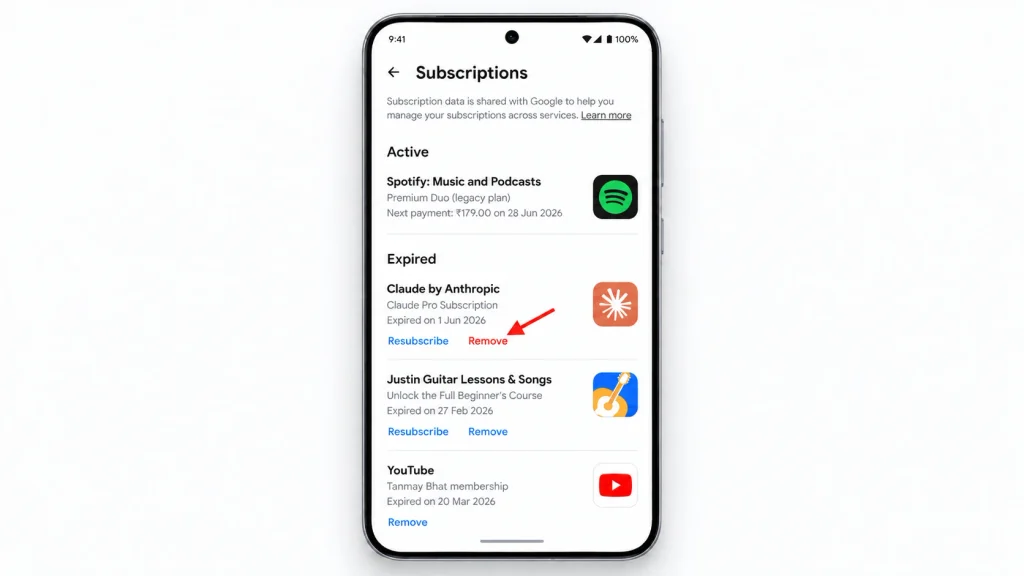
If you upgraded inside the Claude Android app, Google Play bills you. Cancel in one of these two ways:
From the Claude app: tap your initials in the top-right corner, tap Billing, then Manage subscription, and follow the prompts in Google Play.
From the Play Store:
- Open the Google Play Store and tap your profile picture.
- Tap Payments & subscriptions, then Subscriptions.
- Tap Claude, then Cancel subscription, and confirm.
Uninstalling the app does not stop Google Play billing. If Claude is missing from the list, switch to the other Google account on your phone and check again.
How to Cancel a Claude Team or Enterprise Plan
Only an Owner or Primary Owner can cancel an organization’s plan. Regular members will not see a Cancel option.
- Team and self-serve Enterprise: the Owner or Primary Owner goes to Organization settings > Billing and cancels there.
- Sales-assisted Enterprise: contact your Anthropic account contact or the Anthropic sales team. Your contract sets the cancellation terms.
Removing members or seats does not cancel the whole plan. Tell your team the end date and export any shared work before access ends.
How to Turn Off Claude Auto-Renew and Check It Worked
Cancelling your plan is how you turn off auto-renew. Once you cancel, Claude stops renewing and you keep access until your current period ends.
Check it worked:
- Paid on claude.ai or desktop: go back to Settings > Billing. You should see an end date, not a next renewal date.
- Paid on iPhone: open Settings > your name > Subscriptions > Claude. It should say when it expires.
- Paid on Android: open Google Play > Payments & subscriptions > Subscriptions > Claude. It should show as cancelled with an end date.
Save the confirmation email or take a screenshot. If you turned on usage credits, also open Settings > Usage and check them, because extra usage is billed separately from your plan.
Claude Cancellation Policy: Can You Cancel Anytime?
Yes. You can cancel Claude Pro or Max at any time. The cancellation takes effect at the end of your current billing period, and you can keep using your paid plan until then. To avoid the next charge, cancel at least 24 hours before your renewal date.
Can I cancel a Claude annual plan?
Yes. Pro can be paid yearly ($200 billed up front). Cancelling stops next year’s renewal, and you keep Pro until the year ends. The unused months are not refunded unless Anthropic’s Consumer Terms or your local law say so (see the EU and UK rule below). Max plans are billed monthly only.
Does cancelling Claude stop Claude Code?
Claude Code is included in paid Claude plans, so there is no separate Claude Code subscription to cancel. When your Pro or Max period ends, Claude Code access through your plan ends too. If you also use Claude Code with API credits from the Claude Console, that is billed separately check and stop it in the Console.
Can You Get a Claude Refund After Canceling?
Cancelling does not refund you. It only stops the next charge. Anthropic says payments are non-refundable, except where its Consumer Terms of Service say otherwise or where the law requires a refund.
Refunds for payments made on claude.ai
- Log in and click your name or initials in the lower-left corner.
- Click Get help, then Send us a message.
- Choose Claude Refund Request, pick your reason, and follow the prompts to check if you are eligible.
Refunds in the EU and UK (14-day rule)
If you live in the European Economic Area or the UK, you can get a refund within 14 days of purchase. You may find this option in Settings. The refund is reduced based on how much you used.
Refunds for iPhone and iPad (Apple) payments
Apple took the payment, so only Apple can refund it. Go to reportaproblem.apple.com, choose “Request a refund”, and select your Claude subscription. Asking for a refund does not cancel the plan cancel it too.
Refunds for Android (Google Play) payments
For an active Android subscription, contact Claude support so they can check your eligibility. For an old, inactive one, contact support with your Google Play email or your order number (it starts with GPA.).
Claude Cancel Button Missing? Common Problems and Fixes
Why is there no Cancel button?
- You pay through Apple or Google, so the button is in the app store, not on claude.ai.
- You are signed in to a different Claude account from the one you pay for.
- Your plan is already cancelled look for an end date on the Billing page.
- You are on a Team plan but you are not the Owner or Primary Owner.
What does “your subscription through the App Store has not fully ended” mean?
You see this when you try to subscribe on claude.ai while an Apple or Google subscription is still paused, waiting for payment, or retrying a failed payment. The app store may still charge you. Cancel the subscription in Apple or Google Play first, wait until it has fully ended, then subscribe on claude.ai.
Why was I charged after cancelling?
- You cancelled less than 24 hours before the renewal date.
- Another account (work, personal, Apple or Google) still has an active plan.
- A Team plan is still active and billed to your card.
- Usage credits or Claude API usage were billed, which are separate from the plan.
Check the merchant name on the charge, then contact Claude support through Get help, or Apple or Google if they took the payment. Removing your card is not the same as cancelling.
What Happens After You Cancel Claude?
- You keep your paid plan until the billing period ends. Cancelling stops the next charge; it does not cut you off early.
- Then your account moves to the Free plan. On Free you lose paid features such as Claude Code, and Projects are limited.
- Your chats, projects and files stay in your account. Cancelling is not the same as deleting your account.
- No automatic refund. Money already charged is only refunded in the cases covered in the refund section above.
- API billing is separate. If you use the Claude API through the Claude Console, cancelling Pro or Max does not stop those charges.
Cancel vs delete your Claude account
Cancelling stops future payments and keeps your account on the Free plan. Deleting your account removes it permanently. If you want both, cancel first, wait until the paid period ends, export anything you need, and only then delete the account from Settings. Never delete your account as a way to stop an Apple or Google subscription cancel it in the app store first.
Can You Get a Claude Refund After Canceling?
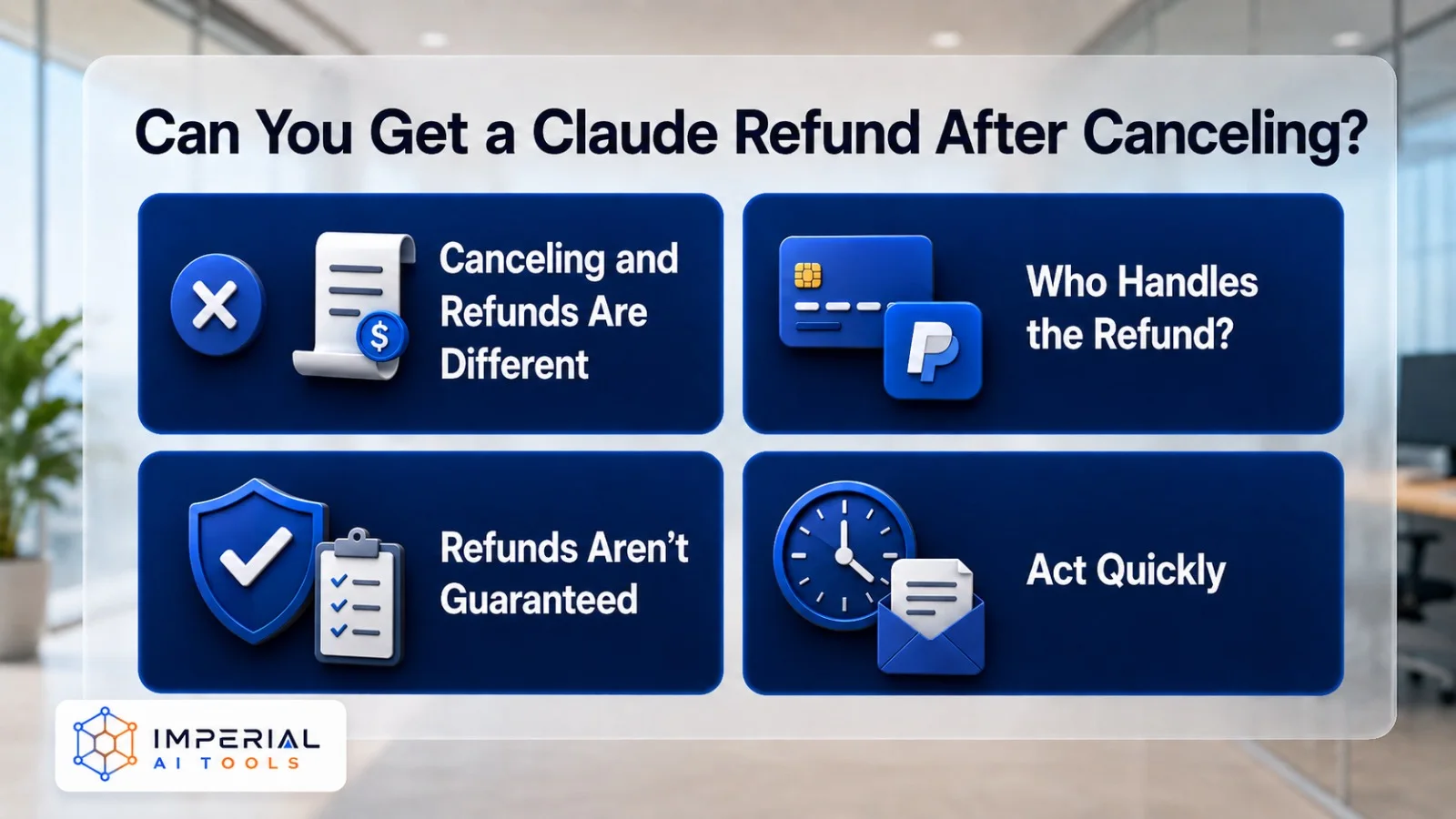
Canceling and requesting a refund are two different actions. A Claude refund depends on your payment method, region, and the policies that apply to you. For direct payments, you’ll likely need to contact Claude support. Apple purchases are refunded through Apple, and Google Play purchases usually require going through Google or your payment provider. Eligibility isn’t guaranteed, so check the Claude refund policy that fits your purchase before assuming money is coming back.
A quick tip: if you think you’re owed a refund, request it sooner rather than later. Refund windows are often short, and the closer you are to the charge date, the better your odds. Keep your receipt or confirmation email handy, whoever you ask will want the transaction details.
Downgrade Instead of Cancel? Claude Plans and Prices (September 2026)
Before you cancel, it’s worth comparing your current plan against the free tier or a cheaper option. Sometimes downgrading beats leaving entirely, especially if you only hit your limits now and then. The gap between a plan you barely use and the free version can be real money over a year, so a two-minute comparison is time well spent.
| Plan | Price (US, before tax) | Billing |
|---|---|---|
| Free | $0 | — |
| Pro | $20/month, or $17/month on annual ($200 billed up front) | Monthly or annual |
| Max 5x | $100/month | Monthly only |
| Max 20x | $200/month | Monthly only |
| Team, Standard seat | $25/seat/month, or $20 on annual | Monthly or annual, 2–150 people |
| Team, Premium seat | $125/seat/month, or $100 on annual | Monthly or annual |
| Enterprise | $20/seat/month + usage at API rates | Annual |
- Claude Free works well for occasional users who don’t need higher limits. If you decide to stay, our claude guide explains what each plan unlocks.
- Claude Pro suits regular individual users who want increased usage and access to paid features.
- Claude Max is built for power users who need significantly higher limits and heavier daily use.
- Claude Team fits small groups that want shared billing and collaboration, priced per user.
Prices vary by country, taxes, currency, and payment platform. If you’re canceling because you keep bumping into usage limits, the answer might be moving up a tier rather than leaving. If you’re canceling because you barely touch it, the free plan is usually the smarter landing spot.
Note: Prices checked on claude.com/pricing on 23 September 2026. They exclude tax and can change by country.
Leaving Claude? 7 Alternatives With a Free Plan
If you are leaving Claude, these assistants all have a free plan you can test first. See all ai chat tools.
| Alternative | Best For |
|---|---|
| ChatGPT | General-purpose AI tasks |
| Google Gemini | Google ecosystem users |
| Perplexity | AI-powered research |
| Microsoft Copilot | Microsoft 365 & Windows |
| DeepSeek | Coding and reasoning |
| Grok | Real-time information & coding |
| Meta AI | Everyday AI & media creation |
Each tool has its own strengths, so the “best” pick really depends on your workflow. Research-heavy users tend to love Perplexity, while developers often lean toward DeepSeek or Grok. If you mostly live inside Google Workspace or Microsoft 365, Gemini and Copilot slot in with the least friction. Read our higgsfield ai review if you want a more cinematic option.
Most of these offer a free tier too, which makes testing painless. Spend a few days running your real, everyday tasks through one or two of them before committing to a new paid plan. That short trial period usually tells you far more than any feature list, and it means you’re switching to something you’ve actually confirmed works for you, not just swapping one subscription for another.
Final Checklist Before You Cancel Claude
- Find out who bills you: Claude, Apple or Google Play.
- Sign in to the account that is actually paying.
- Cancel at least 24 hours before your renewal date.
- Confirm you see an end date, and save the confirmation.
- Check usage credits and any Claude API billing separately.
- Request a refund separately if you think you are eligible.
- Export anything important before deleting your account.
Changed your mind later? You can subscribe again from the same Billing page at any time.
Claude Cancellation Frequently Asked Questions
Can I cancel Claude AI subscription anytime?
Yes. You can cancel Claude at any point from your billing settings or app store. To avoid another charge, cancel before your next billing date. Your paid access typically continues until the current period ends.
Will I lose Claude immediately after canceling?
No. Paid features generally stay active through the end of your current billing period. After that date, your account usually drops to the free tier rather than disappearing entirely.
Does canceling Claude delete my account?
No. Canceling your subscription and deleting your account are separate actions. Your account and chat history remain after cancellation unless you delete them yourself through your account settings.
Does canceling Claude Pro stop Claude API billing?
Not necessarily. API and usage-based charges are billed separately from your Pro or Max plan. If you use the Claude API, check and cancel that billing independently to avoid ongoing costs.