Google Labs is where Google lets the public test its newest AI experiments before or while they roll out more widely. If you’ve heard names like Flow, Whisk, Stitch, Opal, or Jules and weren’t sure what they do. This Google Labs AI guide covers what each tool is for, how to get access, what it costs, and whether it’s worth your time. Google Labs is one of many experimental and production-ready platforms covered in our complete aI tools directory.
Google Labs AI Tools at a Glance
| Google Labs tool | Main purpose | Best for | Access model |
|---|---|---|---|
| Flow | AI video and filmmaking | Filmmakers and video creators | Google AI plan and regional limits |
| Whisk | Visual remixing with image references | Fast image ideation | Free or plan-based limits |
| Mixboard | AI concept boards | Moodboards and presentations | Experimental access |
| Stitch | UI and product design | Designers and developers | Availability-based |
| Opal | No-code AI mini-apps | Creators and businesses | Experimental access, free during beta |
| Pomelli | Branded marketing content | Small businesses | Regional beta/access |
| Jules | AI coding agent | Software developers | Free and higher paid limits |
| MusicFX | AI music experimentation | Musicians and creators | Limited experimental use |
| Project Genie | Interactive world generation | Experimental world creation | Limited or plan-dependent |
Google frequently updates its Labs portfolio, so treat this table as a snapshot rather than a permanent lineup. Confirm current access on the official Google Labs page before you build a workflow around any one tool.
What Is Google Labs?

Google Labs is Google’s platform for discovering and testing experimental AI products before or while they expand into wider Google services.
It’s not one single AI tool; it’s an umbrella. Under it, Google ships early versions of products, collects feedback, and decides what graduates into a full product, what gets folded into Gemini, and what quietly disappears.
- It’s a genuine experimentation platform, not a polished suite. Interfaces move, features get added or cut, and pricing shifts.
- Anyone testing a Labs product can typically submit feedback directly to the team building it.
- Tools may get renamed, merged into other Google products, or require a subscription as they mature.
- The portfolio spans far more than one category: media creation, coding, design, productivity, and research all show up under the Google Labs / Google AI Labs banner.
If you’ve searched labs. Google directly; you’re in the right place, that’s the home for these experiments.
Google Labs vs Other Google “Lab” Products
Google has used the word “Labs” for more than one thing over the years, and that causes real confusion in search. Here’s the breakdown so you know what this guide covers.
| Search term | What it refers to | Covered in this guide? |
|---|---|---|
| Google Labs | Experimental AI products | Yes |
| labs.google/fx | Google’s generative media experiments | Yes |
| Google Search Labs | Experimental Search features | Brief mention |
| Google Workspace Labs | Early Workspace AI features | Brief mention |
| Chrome Music Lab | Music-learning experiments | No |
| Nest Labs | Smart-home company acquired by Google | No |
| Google X | Moonshot research organization | No |
| Google Cloud Labs | Technical training exercises | No |
Google Search Labs and Workspace Labs are their own experimental programs tied to Search and Workspace, specifically worth knowing about, but this guide focuses on the labs. Google AI product lineup.
How to Access Google Labs
Getting in is simpler than most enterprise AI platforms:
- Visit labs google
- Sign in with a personal Google account.
- Select an available experiment.
- Review any age and regional requirements.
- Join a waitlist if access is limited.
- Check whether a Google AI subscription is required for the features you want.
- Read the experiment-specific privacy notice before uploading any files.
Availability isn’t guaranteed for everyone, and it depends on several factors:
- Country
- Age
- Account type (personal vs. Workspace)
- Browser or device
- Google Workspace administrator settings
- Subscription level
- Testing capacity at that moment
Don’t assume every experiment is available worldwide. Some tools launch in a handful of countries first and expand slowly, if at all.
How Long Do Google Labs Waitlists Take?
There’s no fixed timeline. Some waitlisted experiments open access within days; others, especially high-demand tools like Flow or Astra, can take weeks or months. Google typically emails you when your access is ready. Joining early is the only lever you control — waitlist position matters, so sign up even if you’re not sure you’ll use the tool right away.
Every Google Labs AI Tool, Explained One by One

Google Flow for AI Video Creation
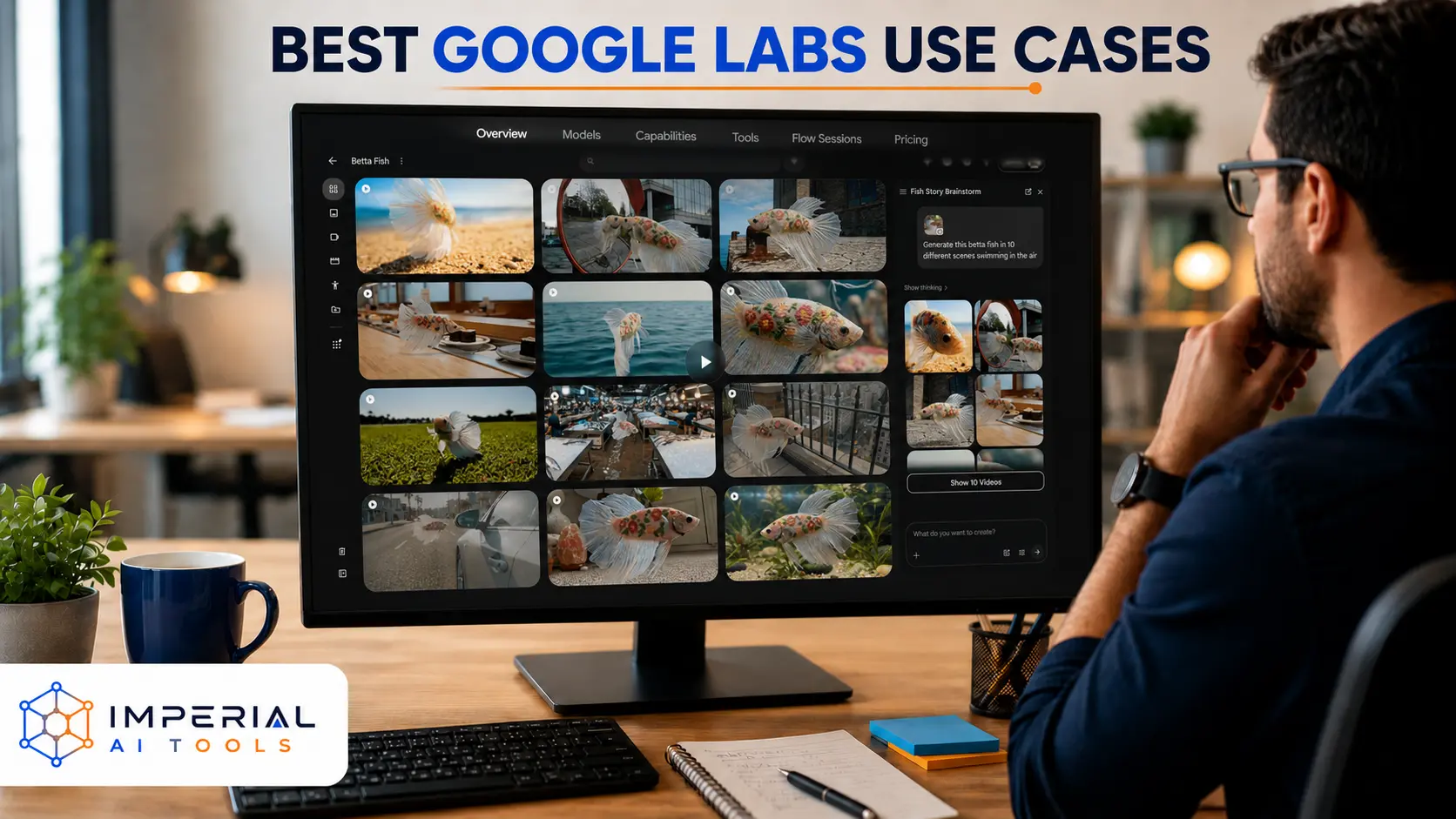
Flow is Google’s AI filmmaking platform, built around text-to-video and image-to-video workflows. You can generate scenes, organize them into a sequence, and lean on Google’s Veo, Imagen, and Gemini models working together built on Veo, Google’s video generation model behind the scenes. Some workflows support audio and speech generation alongside the visuals.
Flow runs on a credit-based system, so generations cost credits rather than a flat fee, and it’s best suited to cinematic clips and early story development rather than finished, broadcast-ready video.
Limitations: Credit costs add up fast, character and scene consistency across clips isn’t perfect, renders can fail, and access still varies by region.
Google Whisk for Visual Remixing
Whisk takes a different approach to image generation. Instead of typing a long text prompt, you feed it image references for subject, scene, and style, and it remixes them into something new. Gemini generates descriptions behind the scenes, and Imagen handles the actual image generation. For a standalone version of that reference-image-to-text step, ImageDescriber AI’s image-to-prompt tool can turn an uploaded image into a structured prompt for reuse in AI image generators. Whisk Animate extends this into short motion clips.
There’s a meaningful distinction between Whisk’s creative mode and more precise reference modes: creative mode tends to capture the “essence” of a reference image rather than reproducing it exactly, which is worth knowing if you need an exact match.
If you’re searching for “Whisk Google Labs,” “Whisk labs.google/fx,” or a “Google Labs image generator,” this is the tool, and it’s one of the more approachable entry points into Google AI image tools.
ImageFX and the Changing Labs.google/fx Lineup
ImageFX became well known early on as Google’s standalone experimental image generator, and a lot of older tutorials still point directly to it. Since then, Google has folded Whisk-style image blending directly into Flow for some users, while ImageFX remains a simpler standalone option in other cases.
The honest takeaway: Google reorganizes its generative media tools often, with naming and availability shifting by account and region, and you shouldn’t rely on an old bookmark. Check labs.google/fx directly rather than assuming a specific tool name will still point to the same product months from now.
Mixboard for Ideas, Moodboards and Presentations
Mixboard is an open visual canvas for early-stage thinking. It combines image and text generation with natural-language editing, so you can build a moodboard, sketch a product concept, or put together a rough presentation without opening a design tool. It’s built for ideation, not final production design. Think of it as a whiteboard that generates images for you, not a replacement for Stitch or a proper design tool.
Stitch for UI and Product Design
Stitch turns natural language into interface design. You describe what you want: a screen, a flow, a full app concept, and Stitch generates high-fidelity screens and interactive prototypes, with voice-guided iteration if you want to refine a screen conversationally. It keeps code and design context connected, which makes handoff to development smoother than a typical static mockup.
Opal for No-Code AI Mini-Apps
Opal is a visual, no-code workflow builder for creating reusable AI mini-apps- think a customer FAQ responder, a quiz generator, or a research assistant built around Gemini, without writing formal code. It’s built around a “describe your intent” style of building rather than manual logic, and it includes step-based debugging so you can see where a workflow breaks.
It’s a strong starting point for prototypes and internal utilities, especially for small teams that don’t have a developer on hand for every idea.
Pomelli for On-Brand Marketing Content
Pomelli analyzes your website (or a document) and builds what Google calls your brand’s “Business DNA” colors, fonts, tone, and imagery) and then uses that to generate on-brand marketing assets: social campaigns, brand books, and even website content. It’s particularly useful for small businesses that don’t have a dedicated design or marketing team but still want consistent-looking output.
It’s currently rolling out through regional beta access rather than being available everywhere at once.
Jules for AI-Assisted Coding
Jules is Google’s AI coding agent. It connects to a code repository, analyzes issues, proposes a coding plan, and can prepare pull requests, running background development tasks rather than just answering questions in a chat window. Developers on eligible Google AI plans generally get higher usage limits than the free tier.
Project Astra for Real-Time Multimodal AI
Project Astra is Google DeepMind’s research preview of a universal AI agent that can see, hear, and reason about the world in real time through your device’s camera and microphone. Unlike a text chatbot, Astra processes continuous video and audio, remembers what it saw earlier in a session, and can answer questions that combine what it sees with what you say. Access is limited and expanding gradually check labs.google for the current waitlist status.
Limitations: Astra is a research preview, not a finished product, and demonstrations don’t always reflect what’s available to every tester yet.
MusicFX for AI Music Ideation
MusicFX focuses on music and soundtrack ideation through text-based prompts. There are meaningful restrictions around mimicking specific artist styles or voices, so treat it as a sketching tool rather than a way to clone an existing sound.
Project Genie for Interactive World Generation
Project Genie generates interactive, explorable worlds from a single text prompt an experimental, creative use case still in limited testing. It’s heavier on hardware than most other Labs tools, and access is capped, so treat it as a glimpse of where generative AI is heading rather than something to build a workflow around today. If you’re curious about generative world tools, this is currently the only one inside Google Labs worth watching.
Step-by-Step: Using Any Google Labs Tool for the First Time

Regardless of which experiment you pick, the workflow is roughly the same:
- Define the output you actually need.
- Select the correct experiment for that output.
- Sign in and confirm you have access.
- Begin with a focused prompt or reference file.
- Generate a low-cost draft first.
- Refine one detail at a time rather than rewriting the whole prompt.
- Review the output for errors or inconsistencies.
- Download or export the result.
- Delete private uploads once you’re done.
- Check usage rights before publishing anything commercially.
Example prompts to try:
- Flow
- Create a cinematic establishing shot of a coastal city at sunrise.”
- Whisk
- Combine this product, minimalist studio setting, and editorial photography style.”
- Stitch
- Design a mobile booking page for an international travel agency.”
- Opal
- Build a mini-app that turns customer notes into a structured content brief.”
Is Google Labs Free? Pricing and Plans
Not every Google Labs product is free; access depends on the tool, your region, and how much usage you need.
| Access level | Typical cost | What it offers |
|---|---|---|
| Free experimental access | $0 | Limited generations, basic experiments, and waitlisted tools |
| Google AI Plus | Region-specific | More access to selected Gemini and creative features |
| Google AI Pro | Region-specific | Expanded Flow, Gemini, coding, and creative limits |
| Google AI Ultra | Region-specific | Highest limits and early access to selected experiments |
| Workspace access | Plan-dependent | Organization-managed access and controls |
Google currently offers Google AI Plus, Pro, and Ultra plans, but pricing and included benefits vary by country and change over time. Check the official Google AI plans page rather than relying on a fixed number from any single article, including this one. If you like testing free AI tools, don’t miss the free ways to use claude too.
A few cautions worth keeping in mind:
- Failed generations can still use up credits.
- Different models consume different amounts of credit.
- Free limits often reset daily or monthly, not once and for all.
- Workspace subscriptions are managed separately from personal Google AI plans.
- A paid Gemini plan doesn’t automatically unlock every Labs experiment.
How Google Decides What Graduates From Labs
Not every Labs experiment becomes a full product. Tools with strong, sustained engagement and clear feedback tend to graduate NotebookLM is the best-known example, moving from a Labs experiment to a standalone product used by millions. Others quietly get folded into existing tools like Gemini, or are retired if they don’t find a clear use case. There’s no published timeline for this the practical takeaway is to treat any Labs tool you rely on as something that could change, merge, or disappear, and to check back periodically rather than assuming it will stay exactly as it is today.
What People Actually Use Google Labs For
Google Labs tools show up across a wide range of everyday and professional tasks, while AI tools for design and productivity in The AI Library can help you compare options beyond Google:
- Generating short AI video scenes
- Creating and remixing images
- Building visual moodboards
- Designing websites and mobile interfaces
- Prototyping no-code AI applications
- Producing brand campaign concepts
- Delegating coding tasks
- Creating music ideas
- Testing experimental AI workflows
- Exploring interactive AI-generated worlds
Best tool by task:
| Task | Recommended experiment |
|---|---|
| Video creation | Flow |
| Image remixing | Whisk |
| Moodboards | Mixboard |
| Interface design | Stitch |
| Mini-apps | Opal |
| Marketing assets | Pomelli |
| Coding tasks | Jules |
| Music ideas | MusicFX |
If you’re comparing Google’s design or coding experiments against other platform, our directory of AI tools for design and productivity is a good next stop before you commit to one workflow.
Google Labs Advantages and Limitations
| Advantages | Limitations |
|---|---|
| Early access to Google AI technology | Features can change without notice |
| A wide range of creative experiments | Availability varies by country |
| Several free entry points | Generation limits apply |
| Connected Google ecosystem | Interfaces may move or get renamed |
| Tools for both creators and developers | Experimental outputs can contain errors |
| Direct feedback channel to product teams | Some features require paid plans |
Treat every Lab product as exactly that of a lab. It’s a great place to experiment and prototype, but not necessarily the place to build a business-critical process without a backup plan.
Is Google Labs Safe and Private?
A few things worth understanding before you upload anything:
- Prompts, outputs, feedback, and usage information may be collected by Google.
- Some interactions may be reviewed by humans to improve the tools.
- History can be controlled from supported tool libraries.
- Deleted history and temporary retention aren’t always the same thing. Deleting something from your view doesn’t always mean immediate permanent deletion.
- Never upload passwords, confidential contracts, or private client data.
- Check sharing settings carefully before creating a public remix or project link.
- Workspace users should follow their organization’s specific data policies.
Safety checklist:
- Remove private details from uploads before you generate anything.
- Disable history where the option is available
- Review public-sharing settings before publishing a project.
- Verify any generated facts before relying on them.
- Confirm commercial-use terms for the specific experiment.
- Delete projects you no longer need
Final Verdict: Is Google Labs Worth Using?
Google Labs is worth exploring if you want early access to Google’s newest AI experiments for video, images, design, coding, and productivity. Its biggest strength is variety; few single vendors offer this much range in one place. The trade-off is that the experimental nature of the platform means tools, limits, and URLs can change quickly.
Start with free access, test one tool against a real project, and upgrade only when generation limits actually get in the way of useful work. Flow suits video creators, Whisk supports fast visual ideation, Stitch helps designers move from idea to interface, and Opal and Jules serve builders who want to skip repetitive setup. Always confirm current availability, pricing, and data settings before using Labs for professional or confidential work.
Conclusion
Google Labs is Google’s experimentation ground for AI, a shifting, sometimes messy, often genuinely useful collection of tools for creators, designers, developers, and marketers. Flow, Whisk, Stitch, Opal, Pomelli, and Jules each solve a different problem, and none of them requires a huge upfront commitment to try.
If you’re figuring out where to start: Flow for AI video creation, Whisk for visual experimentation, Stitch for interface design, Opal for no-code mini-apps, and Jules for AI-assisted coding.
Begin with free experimental access, test your chosen tool inside a real workflow, not just a throwaway prompt, and upgrade only when higher limits provide clear, measurable value. Check current pricing, availability, privacy settings, and commercial-use terms before you rely on any Labs output professionally. For a broader look at how Google’s tools stack up against other AI platforms, browse the Imperial AI Tools directory.
Frequently Asked Questions
Google regularly reorganizes its experimental media tools, folding some into Flow and adjusting others. Always check the current listings at labs.google/fx rather than an old link.
No availability varies by experiment, account type, age, and country. Some tools launch in select regions first.
Google provides data controls and disclosure about human review, but you should never upload confidential or sensitive information to an experimental tool.
Review the terms for the specific experiment before publishing anything commercially; usage rights and restrictions differ by tool.
Sometimes Workspace administrators can control access, and supported editions vary, so check with your admin before assuming access.
No. Bard was the earlier consumer product name for what became Gemini, and it was a full product, not a Labs experiment. Google Labs is the experimental platform where new tools including early versions of features that later reached Gemini are tested before they become products or features.