
Introduction
If you have been online in the past couple of years, you have likely heard of ChatGPT. It is one of those tools that changed the way people think about artificial intelligence. Whether you are a student trying to finish an assignment, a business owner looking to save time, or just someone curious about what AI can actually do, ChatGPT has something for everyone.
But what exactly is ChatGPT? How does it work? And what can you actually use it for in real life? This guide covers everything you need to know about ChatGPT, from the basics to the latest models available today. No complicated tech talk, just clear, simple information that actually makes sense.
Quick Answer: ChatGPT is OpenAI’s AI chatbot launched in 2022. It writes, codes, explains topics, and helps with research. Free and Plus ($20/mo) plans are available, with models like GPT-4o, o3, and o4-mini offering different speed and reasoning levels. It’s useful but can sometimes give wrong info.
What is ChatGPT?
ChatGPT is an AI-powered chatbot developed by OpenAI. The name stands for Chat Generative Pre-trained Transformer. In simple terms, it is a tool that can engage in real conversations with you, answer your questions, assist you with writing tasks, explain complex topics, generate ideas, write code, and much more.
OpenAI launched ChatGPT in November 2022, and it became the fastest-growing app in internet history. Within just two months of its launch, it had over 100 million users. That number has only grown since then.
The reason ChatGPT feels so natural to use is that it was trained on a massive amount of text from the internet, books, and other sources. This training helps it understand context, follow instructions, and give responses that actually make sense.
“AI is an enabling technology, like electricity. ChatGPT is like the first telephone that works.” Stephen Wolfram
How it actually works
ChatGPT is built on a technology called a Large Language Model (LLM). Think of it like a very advanced autocomplete system. Instead of just finishing one word, it predicts and generates entire paragraphs based on what you say to it.
Here is a simple breakdown of how it works:
Training: The model was trained on billions of words from websites, books, research papers, and other text sources. It learned patterns in language, facts about the world, and how conversations flow.
Fine-tuning: After the initial training, OpenAI used a process called Reinforcement Learning from Human Feedback (RLHF). Real humans rated the responses, and the model was adjusted to give better, safer, and more helpful answers.
Transformer Architecture: ChatGPT uses a transformer model, which is a type of neural network that is especially good at understanding the relationship between words in a sentence. This is what makes it so good at understanding context.
When you type a message to ChatGPT, it does not look up an answer in a database. It generates a response word by word based on everything it has learned. That is why it can answer almost anything, but it can also sometimes get things wrong.
What Can You Do With ChatGPT?
This is where things get really interesting. ChatGPT is not just a question-and-answer tool. It is a full creative and productivity assistant. Here are some of the most common and useful things people do with it:
Writing and Editing
You can use ChatGPT to write blog posts, emails, essays, cover letters, product descriptions, social media captions, and more. It can also proofread your writing and suggest improvements.
Learning and Explaining
Not sure how something works? Ask ChatGPT. It can explain anything from quantum physics to how to bake bread, all in simple terms. It adjusts its explanation based on how much detail you want.
Coding Help
Developers love ChatGPT because it can write code in almost any programming language. It can also find bugs in your code, explain what a piece of code does, and help you build entire projects.
Research and Summarizing
ChatGPT can help you summarize long articles and research topics quickly, compare ideas, and organize information. It is like having a very well-read assistant available 24/7.
Creative Work
From writing short stories and poems to brainstorming business ideas and coming up with product names, ChatGPT is a powerful creative partner.
Customer Support and Automation
Businesses use ChatGPT to build AI-powered customer service tools, automate repetitive tasks, and handle large volumes of user questions without needing a human for each one.
ChatGPT Plans: Free vs. Paid
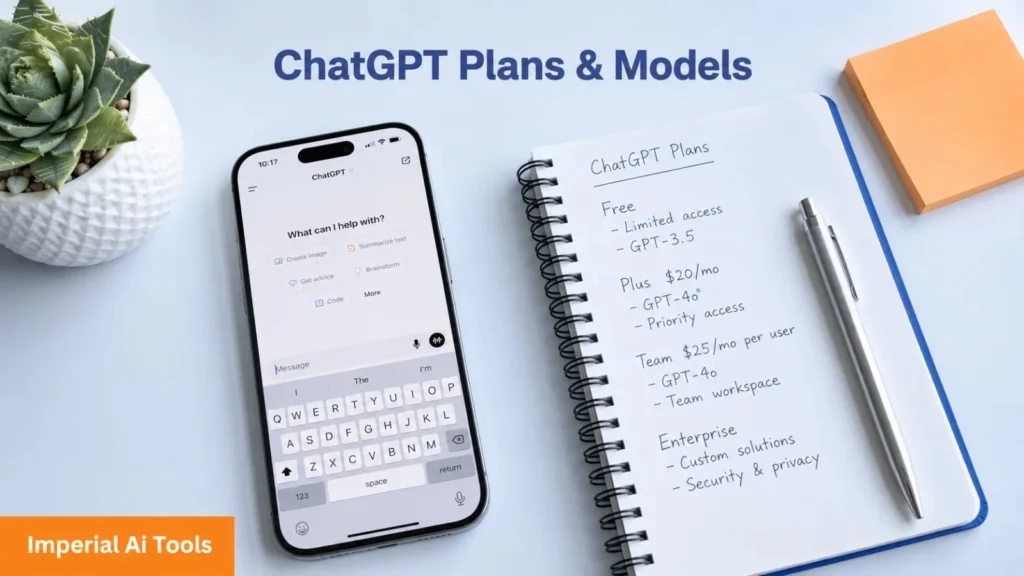
ChatGPT offers different plans depending on your needs.
Free Plan
The free version gives you access to a capable version of ChatGPT. It is great for everyday use, and you do not need to pay anything to get started. However, it has some limitations in terms of speed and access to the most advanced features.
ChatGPT Plus
This is the paid subscription plan, currently priced at $20 per month. With Plus, you get access to the latest and most powerful models, faster response times, access to image generation through DALL·E, web browsing, and advanced data analysis tools.
ChatGPT Team and Enterprise
For businesses and teams, OpenAI offers Team and Enterprise plans. These come with higher usage limits, better privacy settings, admin controls, and priority access to new features.
Latest ChatGPT Models in 2026
OpenAI’s ChatGPT model lineup has changed a lot in 2026. Instead of mainly focusing on older models like GPT-4o, o1, o3, and o4-mini, ChatGPT now centres around the GPT-5.5 family. The main model options are Instant, Thinking, and Pro, each designed for a different type of user need.
GPT-5.5 Instant
GPT-5.5 Instant is the default ChatGPT model for everyday use. It is built for fast, clear, and helpful responses across normal tasks such as writing, learning, summarising, translation, brainstorming, quick research, and general questions. It is designed to feel more natural, more accurate, and more personalised than older models.
One of its biggest advantages is that it can automatically handle many types of tasks without users needing to manually switch models. For most people, GPT-5.5 Instant is the best choice for daily use because it gives a strong balance of speed, intelligence, and ease of use.
GPT-5.5 Thinking
GPT-5.5 Thinking is designed for deeper reasoning and more complex tasks. It is useful when you need ChatGPT to think more carefully before answering. This model is stronger for coding, maths, science, technical questions, research, document analysis, planning, problem-solving, and detailed explanations.
Compared with Instant, GPT-5.5 Thinking takes more time but gives more thoughtful and structured answers. It is a better option when accuracy and reasoning matter more than speed.
GPT-5.5 Pro
GPT-5.5 Pro is the most advanced ChatGPT option for difficult and professional-level work. It is designed for research-grade intelligence and high-accuracy tasks. This model is useful for business analysis, legal-style reasoning, education, data science, advanced coding, long documents, deep research, and complex workflows.
GPT-5.5 Pro is best for users who need the strongest possible answer rather than the fastest response. It is usually aimed at higher-tier users and professional use cases.
GPT-5.4 and GPT-5.4 Mini
GPT-5.4 and GPT-5.4 mini are still important in the wider OpenAI model lineup, especially for developers and cost-efficient AI tools. GPT-5.4 is designed for strong professional work at a lower cost than GPT-5.5, while GPT-5.4 mini focuses on faster and more efficient performance.
These models are more relevant for API users, developers, and AI tool builders than for normal ChatGPT users. For regular ChatGPT use, GPT-5.5 Instant, Thinking, and Pro are the main options to understand.
Legacy Models: o3 and GPT-4.5
Some older models are now considered legacy models rather than the main ChatGPT experience. o3 was known for strong reasoning in science, maths, and coding. GPT-4.5 was known for improved nuance, emotional understanding, and natural conversation.
However, in 2026, these models are no longer the main focus because GPT-5.5 models have replaced most of their use cases. OpenAI has also been retiring older models to simplify ChatGPT and move users toward newer, more capable systems.
Retired ChatGPT Models
Several older models from the 2024 and 2025 lineup are no longer the main ChatGPT models in 2026. These include GPT-4o, GPT-4.1, GPT-4.1 mini, o4-mini, GPT-5, and GPT-5.1 models. Many older chats now continue using newer GPT-5.5 equivalents instead.
Is ChatGPT Safe to Use?
OpenAI has put a lot of effort into making ChatGPT safe and responsible. The model is trained to avoid harmful content, refuse dangerous requests, and be honest about its limitations. It will not help with things like creating weapons, generating illegal content, or spreading misinformation intentionally.
However, ChatGPT is not perfect. It can sometimes give incorrect information confidently, a problem called “hallucination.” This is why it is always a good idea to double-check important facts, especially in medical, legal, or financial contexts.
For privacy, OpenAI does give you the option to turn off chat history so your conversations are not used to train future models. Enterprise users also get stronger privacy protections.
Tips for Getting the Best Results From ChatGPT
Getting great results from ChatGPT is all about how you talk to it. Here are a few simple tips: Be specific. The more detail you give, the better the response. Instead of saying “write me an email,” say “write a professional email to my client explaining a project delay, keeping it under 150 words.”
Give context. Tell ChatGPT who you are and what you are trying to achieve. It will adjust its response accordingly. Ask it to improve. If the first response is not quite right, tell it what to change. It learns from your feedback within the conversation.
Use it as a starting point. ChatGPT is great for drafts and ideas. Always review and personalize the final output.
The Future of ChatGPT
OpenAI is moving fast. The company has made it clear that future versions of ChatGPT will be even more capable, more accurate, and more integrated into everyday life. We are already seeing ChatGPT built into tools like Microsoft Word, Bing, and hundreds of third-party apps.
Voice mode, real-time translation, better memory of past conversations, and deeper integration with personal data are all areas where ChatGPT is rapidly improving. The goal is to make it feel less like a tool and more like a genuinely intelligent assistant.
Final Thoughts
ChatGPT is one of the most powerful and accessible AI tools ever created. Whether you are using it to write faster, learn something new, build a project, or just satisfy your curiosity, it has proven to be genuinely useful across almost every area of life. With new models releasing regularly and the technology improving rapidly, ChatGPT is only going to become more capable over time.
If you have not tried it yet, now is a great time to start. It is free, easy to use, and might just change the way you work and think.
Frequently Asked Questions (FAQs)
Yes, ChatGPT has a free version that anyone can access at chat.openai.com. The free plan gives you access to a capable AI model without any cost. However, if you want the latest models and extra features, the Plus plan is available for $20 per month.
Yes, but only on certain plans. ChatGPT Plus users can enable web browsing, which allows the AI to search the internet for real-time information. The free version works from its training data and does not have live internet access by default.
ChatGPT has a memory feature that can remember information across conversations, but it is not turned on for everyone by default. Within a single conversation, it remembers everything said. You can also manage and clear its memory in the settings.
ChatGPT is highly capable but not always 100% accurate. It can sometimes generate incorrect information, especially on very specific or recent topics. Always verify important facts from trusted sources, particularly for medical, legal, or financial decisions.
GPT-4o is a fast, versatile model that handles everyday tasks well, including text, image, and audio. The O3 model is designed for deep reasoning and complex problem-solving. It takes more time to respond, but it is significantly more accurate on difficult tasks like advanced math and science.
Absolutely. ChatGPT can write, explain, and debug code in almost every major programming language, including Python, JavaScript, Java, C++, SQL, and many more. It is widely used by developers to speed up their work.